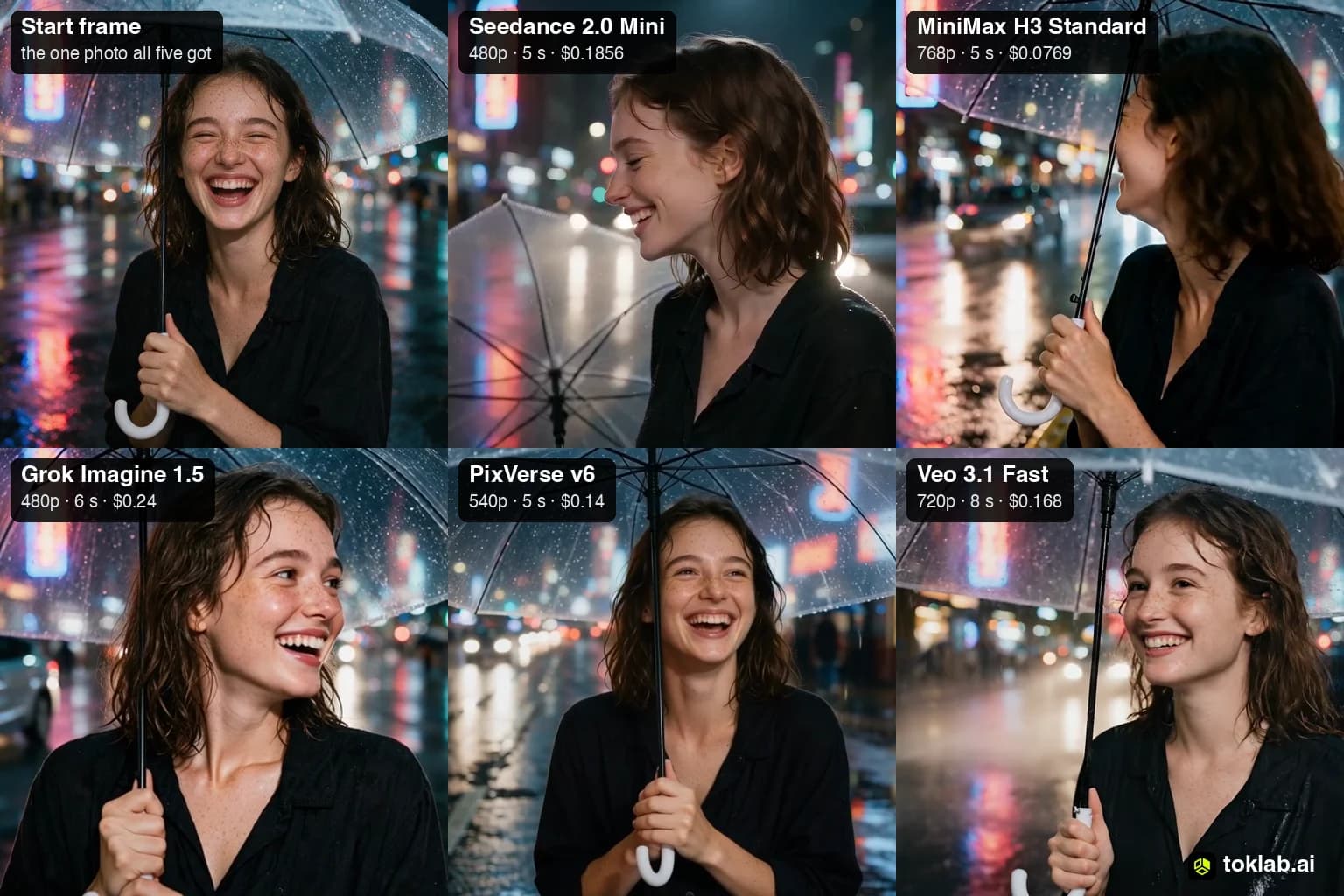
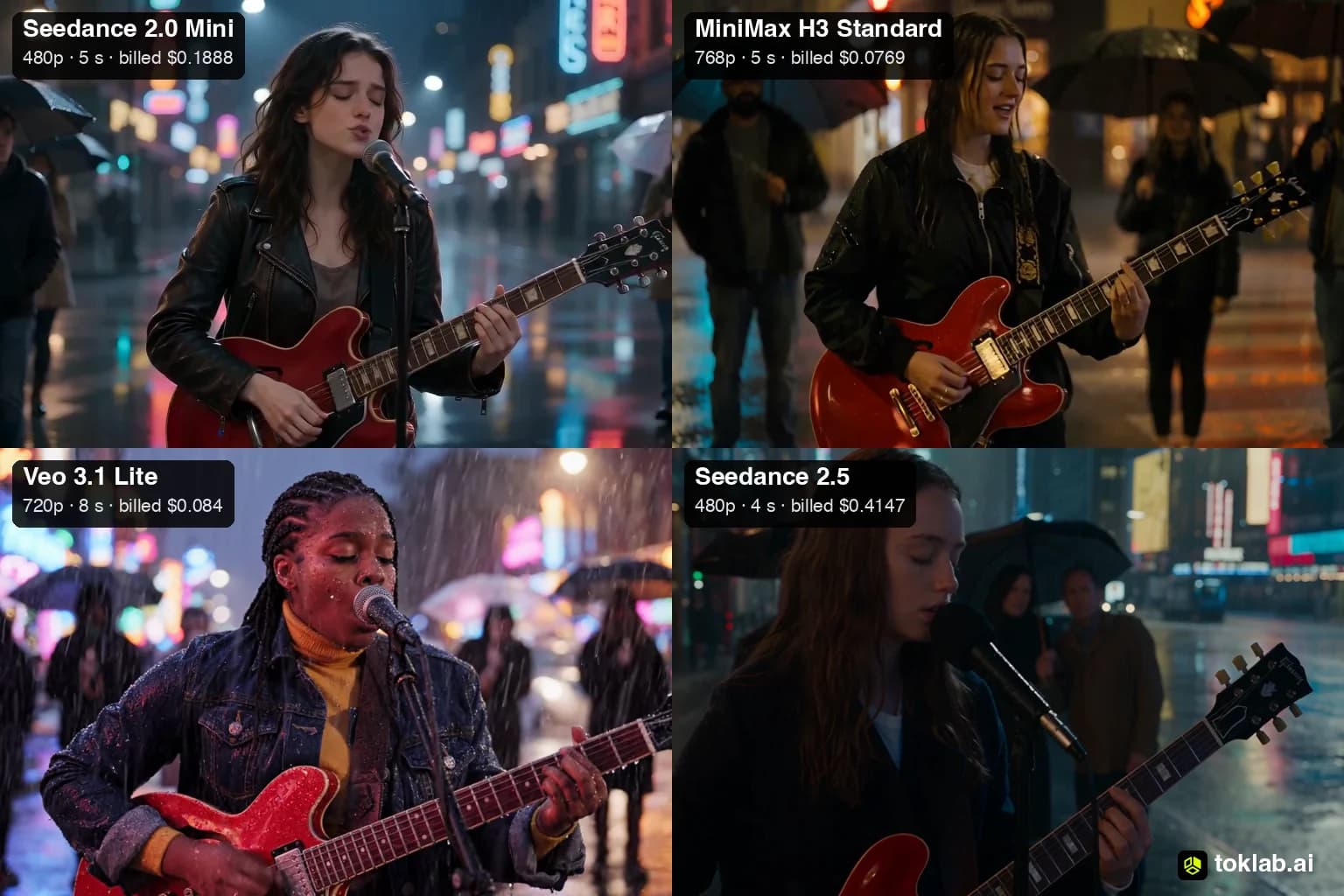
MiniMax H3 비디오 프롬프트 가이드: 카메라 문법, 오디오 큐, 티어 선택
카메라 문법, 6초·10초 페이싱, 네이티브 오디오 프롬프트, 화면 텍스트 보정, TokLab 티어 요금까지 6단계 큐시트 공식으로 MiniMax H3 비디오를 연출합니다.
Markdown으로 읽기대부분의 개발자는 1년 전 비디오 모델을 다루던 습관 그대로 MiniMax H3에 접근합니다. 묘사 문장 하나, 조명 형용사 몇 개, 그리고 "시네마틱 슬로 푸시인" 같은 막연한 카메라 힌트만 던집니다. 그러면 처음 2초는 그럴듯하지만 5초쯤 되면 흐름이 늘어지고, 요청하지 않은 배경음이 멋대로 깔리며, 화면 속 간판이나 글자는 알아볼 수 없는 가짜 문자로 뭉개져 나옵니다.
MiniMax H3는 시적인 캡션을 원하지 않습니다. 간결한 샷 리스트와 오디오 큐시트를 건네받은 촬영 스태프처럼 반응합니다. 비디오 프레임과 동기화된 스테레오 오디오가 한 번의 패스에서 함께 생성되기 때문에, 명시하지 않고 비워 둔 모든 요소(4초 이후의 전개, 카메라 고정 여부, 사운드스케이프, 화면 타이포그래피)는 모델의 기본값으로 채워집니다. 이 핸드북은 MiniMax H3를 안정적으로 제어하는 6단계 프롬프트 구조, 6초와 10초 클립의 페이싱 설계, 그리고 TokLab에 라이브된 MiniMax H3 슬러그 4종(minimax-h3-standard, minimax-h3-max-turbo, minimax-h3-max, minimax-h3)의 선택 기준을 정리합니다.
TokLab에서 적합한 MiniMax H3 티어 선택하기
첫 API 호출을 작성하기 전에, 샷 요구사항을 POST https://api.toklab.ai/v1/videos/generations로 호출 가능한 MiniMax H3 모델 4종에 먼저 매핑하세요. 네 모델은 초당 단가, 요청 스키마, 해상도 사다리, 레퍼런스 지원 범위가 서로 다릅니다. 실시간 요율은 TokLab 요금표와 모델 카탈로그에서 항상 확인할 수 있습니다.
| TokLab 모델 ID | 시작 요율 | 지원 해상도 | 길이 | 레퍼런스 지원 | 요청 스키마 형식 |
|---|---|---|---|---|---|
minimax-h3-standard | $0.015385 / s | 480p, 768p, 1080p, 2k, 4k | 5–15초 (duration_s) | 첫/마지막 프레임, 참조 이미지 최대 4장, 참조 비디오 1개 | 플랫 JSON (prompt, quality: low/high) |
minimax-h3-max-turbo | $0.02285 / s | 480P, 768P | 5–15초 (duration) | 텍스트 및 첫/마지막 프레임 전용 | content[] 배열 + extra.prompt_expansion_mode |
minimax-h3-max | $0.04570 / s | 480P, 768P | 5–15초 (duration) | 첫/마지막 프레임 또는 이미지 최대 9장, 비디오 3개, 오디오 3개 | content[] 배열 + extra.prompt_expansion_mode |
minimax-h3 | $0.073125 / s | 768P, 2K | 4–15초 (duration) | 첫/마지막 프레임 또는 이미지 최대 9장, 비디오 3개, 오디오 3개 | content[] 배열 (엄격한 네이티브 v2 계약) |
티어를 잘못 고르면 예산이나 개발 시간이 낭비되므로 네 행의 차이를 정확히 짚고 넘어가야 합니다.
- 프로토타이핑은
minimax-h3-standard($0.015385/s)에서 시작하세요. 대량 컨셉 테스트, 시드 재현성(seedint64), 저비용 초안에 최적입니다. 6초 클립이 10센트 미만($0.092)부터 시작하므로 2K 플래그십 1컷 비용보다 적은 돈으로 카메라 구도 세 가지를 시험할 수 있습니다. - 멀티 이미지나 오디오 레퍼런스가 필요 없는 빠른 텍스트-투-비디오·첫/끝 프레임 보간에는
minimax-h3-max-turbo($0.02285/s)를 쓰세요. Turbo에서는reference_image,video_url,audio_url항목이 검증 단계에서 거부된다는 점에 유의해야 합니다. - 480P 또는 768P에서 멀티모달 레퍼런스 제어(이미지 최대 9장, 비디오 3개, 오디오 3개)와
extra.prompt_expansion_mode(disabled,balanced,quality)가 필요하다면minimax-h3-max($0.04570/s)를 선택하세요. - 네이티브 2K 디테일, 칼같이 선명한 타이포그래피, 풍부한 다중 레퍼런스 충실도가 필요한 최종 히어로 샷은
minimax-h3($0.073125/s)로 승격하세요.minimax-h3에서는 처음 5장의 입력 이미지에 추가 과금이 없지만, 참조 비디오의 초 수는 과금 길이에 합산됩니다.
MiniMax H3용 6단계 큐시트 구조
잘 나오는 MiniMax H3 프롬프트에는 공통된 해부학이 있습니다. 참조 이미지를 곁들인 90단어 프롬프트든 순수 텍스트-투-비디오용 280단어 프롬프트든 다음 여섯 가지 요소를 깔끔히 분리하세요.
- 스타일 및 매체 고정: 영상 끝까지 흔들리면 안 되는 시각 매체, 렌즈 특성, 색 팔레트, 표면 질감을 못 박습니다("16mm handheld documentary film, Kodak 500T grain, muted tungsten and teal palette, flat natural skin tones").
- 타임스탬프 비트 타임라인: 클립을 2~3초 단위의 구체적인 비트(
[0s-2s],[2s-5s],[5s-8s])로 쪼개고 비트마다 물리적 동작을 하나씩 배치합니다. 아이디어 하나를 10초 내내 늘어뜨리는 "슬로 드리프트"를 없애 줍니다. - 카메라 안무(또는 명시적 고정): 마운트, 초점거리, 이동 속도, 전환 방식을 적거나, 모델 특유의 기본 슬로 푸시인을 막고 싶다면 "Locked tripod, static medium shot, zero zoom, zero cuts"처럼 단호하게 고정합니다.
- 네이티브 오디오 큐시트: 공간 앰비언스, 타임스탬프가 붙은 구체적 폴리 효과음, 따옴표로 묶은 대사, 악기 구성을 적습니다(배경음이 불필요하면 "No background music"을 명시합니다).
- 따옴표로 묶은 화면 텍스트 원문: 화면에 읽혀야 할 모든 단어를 따옴표 안에 철자 그대로 적고 위치를 지정합니다. "HUD 라벨", "거리 표지판"처럼 뭉뚱그려 적으면 글자 모양의 텍스처 노이즈로 변합니다.
- 네거티브 제약 목록: 제약이 없을 때 H3가 기본으로 기울어지는 실패 패턴(부드러운 디졸브, 임의 자막 생성, 불필요한 배경 글자, 2D 아트워크의 3D 스무딩, 급작스러운 원근 변화)을 명시적으로 금지합니다.
MiniMax H3는 프롬프트 토큰 수가 아니라 비디오 초 단위로 과금(minimax-h3 기준 최대 7,000자)되므로 5번과 6번 블록을 추가해도 추가 비용이 0원입니다. 이 여유 공간을 적극적으로 활용하세요.
실제로 통하는 카메라 문법, 렌즈 큐, 조명 어휘
MiniMax H3는 "masterpiece"나 "hyper-detailed" 같은 유행어보다 실제 촬영 동사와 광학 제약에 훨씬 정확히 반응합니다. 샷마다 카메라 마운트 하나, 방향 동사 하나, 광학 큐 하나를 짝지어 주세요.
- 고정 프레임 제어:
Locked tripod, static wide shot, zero push-in, zero handheld sway, single continuous take.카메라가 미세하게라도 흔들리면 망가지는 UI 데모, 스톱모션 루프, 그래픽 포스터, 정적인 코미디에 적합합니다. - 트래킹 모션:
Low-angle dolly tracking alongside the runner at chest height, 35mm anamorphic lens, shallow depth of field, subtle lateral parallax.피사체를 중앙에 고정한 채 전경 사물이 렌즈 앞을 스쳐 지나가게 만듭니다. - 제어된 리빌:
Starts on an extreme close-up of rain hitting brass espresso fittings; at 3s, smooth crane pull-back and tilt-up revealing the full corner cafe interior.리빌 시점을 타임스탬프로 고정하면 1프레임부터 카메라가 성급히 빠지는 현상을 막을 수 있습니다. - 휩컷 및 매치컷 전환:
Hard cut on the snare hit at 4s; zero crossfades, zero soft dissolves.소프트 디졸브 금지를 명시하지 않으면 H3는 다중 비트 샷을 깔끔히 자르지 않고 흐릿하게 섞어 버립니다.
조명 역시 분위기 형용사 대신 광원의 위치, 경도, 색온도를 묘사하세요. "moody nighttime lighting"보다 "single overhead sodium streetlamp casting hard downward shadows with wet asphalt bounce"가 매번 더 안정적인 결과를 냅니다.
중반 드리프트 없이 6초 vs 10초 클립 페이싱 설계하기
클립 길이에 따라 모션이 급해지거나 뭉개지지 않고 소화할 수 있는 스토리 비트 수가 달라집니다.
- 6초 클립(각 3초, 2비트): 셋업 1비트와 페이오프 1비트 구성입니다. 제품 히어로 리빌, 소셜 훅, UI 마이크로 인터랙션, B-롤 인서트에 알맞습니다. 6초 안에 컷 4개를 우겨 넣으면 모션 블러와 어중간하게 끊긴 동작만 남습니다.
- 10초 클립(각 2
3초, 34비트): 셋업(0s-3s), 고조(3s-6s), 전환점(6s-8.5s), 최종 정착 홀드(8.5s-10s) 구조입니다. 후속 편집자가 깔끔하게 컷할 수 있도록 마지막 1~1.5초는 반드시 정지 홀드나 안정적인 마무리로 비워 두세요. - 첫 프레임·마지막 프레임 앵커링: 10초 클립이 마지막 2초에서 계속 원래 형태를 벗어난다면 형용사를 고쳐 쓰기보다
first_frame과last_frame이미지를 둘 다 공급하세요(GPT Image 2.6이나 Kling Image 4.0으로 같은 화면비로 손쉽게 뽑을 수 있습니다). 양 끝점을 고정하면 프롬프트는 보장된 두 시각 상태 사이의 순수 모션과 오디오 연출에만 집중하게 됩니다.
H3 티어별 바로 실행 가능한 TokLab API 예제
minimax-h3-standard는 플랫 페이로드를 쓰고, minimax-h3, minimax-h3-max, minimax-h3-max-turbo는 content[] 배열 계약을 쓰므로 연동 헬퍼에 두 형태를 모두 준비해 두세요.
예제 A: minimax-h3-standard에서 6초 빠른 초안 생성
curl -sS https://api.toklab.ai/v1/videos/generations \
  -H "Authorization: Bearer $TOKLAB_API_KEY" \
  -H "Content-Type: application/json" \
  -d '{
    "model": "minimax-h3-standard",
    "prompt": "Macro studio tabletop film, 90mm lens, warm directional window light from camera left. [0s-3s] Matte black pour-over kettle tilts gently, pouring a thin steady arc of hot water over freshly ground dark coffee in a white ribbed ceramic dripper; coffee bloom rises with fine bubbles. [3s-6s] Slow 10-degree orbital glide around the glass carafe as dark amber espresso-toned liquid drips steadily into the base. Camera: ultra-smooth slider move, no cuts. Audio: crisp kettle pour, soft bubbling bloom, quiet morning kitchen room tone, no music. No on-screen text, no watermark.",
    "quality": "high",
    "resolution": "768p",
    "aspect_ratio": "16:9",
    "duration_s": 6
  }'
예제 B: minimax-h3에서 10초 2K 첫-끝 프레임 히어로 샷 생성
minimax-h3의 엄격한 검증 규칙 두 가지를 기억하세요. 텍스트 전용 요청에는 "adaptive"가 아닌 명시적 ratio가 필요하며, 같은 content[] 배열 안에서 first_frame / last_frame 항목은 reference_image, video_url, audio_url 항목과 섞어 쓸 수 없습니다.
curl -sS https://api.toklab.ai/v1/videos/generations \
  -H "Authorization: Bearer $TOKLAB_API_KEY" \
  -H "Content-Type: application/json" \
  -d '{
    "model": "minimax-h3",
    "resolution": "2K",
    "duration": 10,
    "ratio": "16:9",
    "content": [
      {
        "type": "image_url",
        "role": "first_frame",
        "image_url": { "url": "https://cdn.example.com/shots/desk-start.png" }
      },
      {
        "type": "image_url",
        "role": "last_frame",
        "image_url": { "url": "https://cdn.example.com/shots/desk-end.png" }
      },
      {
        "type": "text",
        "text": "2D hand-inked architectural illustration brought to life, preserving original watercolor paper grain and fine black ink outlines in every frame. Do not smooth into 3D. [0s-3s] Drafting table remains still while afternoon sunlight slowly shifts across the paper and a brass desk lamp flickers on. [3s-7s] Ink blueprint lines draw themselves smoothly across the center sheet, forming a clean pavilion elevation. [7s-10s] Final title stamps cleanly at lower right reading \"STUDIO NORTH\" and holds completely steady. Camera: locked overhead tripod, zero zoom, zero cuts. Audio: soft pencil-on-vellum scratching from 3s to 7s, crisp paper rustle at 7.5s, warm quiet room tone, no music. Do not misspell \"STUDIO NORTH\", do not add subtitles or extra words."
      }
    ]
  }'
바로 복사해 쓰는 MiniMax H3 프롬프트 공식 4가지
공식 1: 인터랙티브 소프트웨어 UI 데모(형용사 대신 동사)
인터페이스 샷은 "sleek futuristic UI" 같은 형용사를 쓰면 어색하게 나옵니다. 대신 구체적인 사용자 동작과 UI 동사로 화면을 움직이게 하세요.
Clean flat-on desktop screen recording aesthetic, 16:9 framing, razor-sharp crisp UI typography on a light #F8FAFC canvas.
[0s-2.5s] Static view of a pricing dashboard showing two plan cards labeled "STARTER" and "PRO"; a crisp black cursor glides smoothly from bottom right to the billing toggle labeled "ANNUAL".
[2.5s-5s] Cursor clicks "ANNUAL"; the toggle snaps blue, numbers flip cleanly to "$29/mo" and "$79/mo", and a subtle emerald badge reading "SAVE 20%" fades in beside the toggle.
[5s-8s] Smooth vertical scroll down revealing a comparison table with crisp checkmarks, slowing to a dead stop at 7.2s.
Camera: Locked flat capture, zero perspective tilt, zero screen glare, zero camera wobble.
Audio: Soft mechanical mouse click at 2.6s, subtle crisp UI chime at 3.0s, quiet ambient silence otherwise. No music, no voiceover, no invented text outside the quoted strings.
공식 2: reference_image를 활용한 캐릭터 공간 이동
minimax-h3나 minimax-h3-max에서 reference_image를 쓸 때는 인물 정체성과 색감을 참조 이미지에 맡기고, 텍스트 프롬프트는 새로운 공간, 조명, 사운드스케이프에 집중시키세요.
Image 1 is the exact character and wardrobe reference: preserve the same young courier, faded yellow rain shell, canvas messenger bag, and realistic film-grain texture.
[0s-4s] He steps inside a dimly lit late-night laundromat out of heavy rain, shaking water droplets off his hood beside a row of humming stainless-steel dryers.
[4s-8s] He pulls a taped parcel from his bag, sets it on the folding counter, and glances toward the fogged storefront window as red brake lights sweep past outside.
Camera: Handheld 35mm shoulder-level medium shot, subtle natural breathing motion, no cuts.
Audio: Door chime at 0.5s, steady rhythmic tumbler hum from dryers, rain muffled against glass, nylon jacket rustle. No background music, no subtitles, no extra characters.
공식 3: 엄격한 타이포그래피 제어 키네틱 타이틀 카드
10-second 16:9 neo-noir graphic title sequence inspired by mid-century screenprint cinema titles: bold charcoal, off-white, and crimson geometric blocks, coarse paper grain, hard graphic shadows.
[0s-3s] Diagonal crimson light wipe reveals a silhouetted subway escalator descending steeply; bold condensed uppercase title appears center-left reading "NIGHT SHIFT".
[3s-6s] Hard graphic split-screen cut: left panel shows rain streaking across a train window, right panel stamps clean white credit text reading "DIRECTED BY ELENA SATO".
[6s-10s] Full-frame wipe to textured matte black card holding both "NIGHT SHIFT" and smaller bottom line "FALL 2026" completely still.
Camera: Graphic flat-plane transitions only, hard cuts on the beat, zero soft dissolves.
Audio: Dry upright jazz bass pulse enters at 0s, crisp brushed snare enters at 3s, single muted trumpet chord swells at 6.5s and cuts clean at 9.5s. Do not repeat credits, do not misspell any quoted words, do not add extra text.
공식 4: 실사 + 일러스트 합성(네거티브 제약으로 보호)
Handheld smartphone evening footage of a quiet home kitchen counter lit by a warm under-cabinet LED strip, natural phone sensor grain and realistic lens focus.
[0s-4s] A tiny 8-centimeter hand-drawn white chalk spirit sits calmly beside a ceramic teapot, swinging its legs gently as faint warm steam curls upward.
[4s-8s] The chalk spirit hops lightly onto the wooden coaster, taps the side of the teapot twice, and curls up peacefully.
Camera: Natural slight handheld phone sway, continuous single take, no cuts, no zoom.
Audio: Quiet refrigerator hum, gentle kettle cooling ticks, two tiny wooden tap sounds at 5.5s. No music, no voiceover.
Constraints: Keep the chalk creature gentle and minimalist—no oversized creepy eyes, no sharp teeth, no sudden jumps, no horror lighting, no 3D glossy rendering on the drawn character, no subtitles.
렌더 후 QA, prompt_expansion_mode, 상업적 가드레일
MiniMax H3 클립이 기대에 못 미칠 때 프롬프트 전체를 버리고 처음부터 다시 쓰지 마세요. 결과를 6단계 큐시트의 각 블록에 대응하는 구조화된 QA 패스로 점검하는 편이 훨씬 빠릅니다.
- 1번 블록(스타일 고정)부터 확인하세요. 2D 일러스트 프레임이 6초쯤 지나면서 광택이 돌거나 3D 셰이딩으로 변했다면 첫머리의 매체 고정이 너무 약한 것입니다. 타임라인을 건드리기 전에 명시적 금지 문구("preserve flat hand-inked contours, do not smooth into 3D, do not add volumetric specular sheen")를 먼저 보강하세요.
- 5번 블록(화면 텍스트)과 오디오 트랙을
ffprobe로 검증하세요. 따옴표로 묶은 모든 문자열이 배경 잡문자 없이 깔끔히 렌더링됐는지 확인하고, 출력 컨테이너의 실제 해상도와 오디오 스트림을 점검합니다.first_frame이미지-투-비디오 작업에서는 원본 이미지의 화면비가 출력 지오메트리를 강하게 고정하므로, 보간 시 왜곡이 생기지 않도록 업로드 전에first_frame과last_frame을 목표 화면비에 정확히 크롭하세요. - 큐시트가 이미 정교하다면 프롬프트 확장을 끄세요.
minimax-h3-max와minimax-h3-max-turbo의extra.prompt_expansion_mode필드는disabled,balanced,quality를 받습니다. 한 줄짜리 짧은 아이디어만 넣을 때는 확장이 유용하지만, 엄격한 네거티브 제약과 정확한 따옴표 텍스트를 갖춘 6블록 큐시트를 이미 작성했다면 업스트림 리라이터가 제외 조건을 흐리거나 불필요한 장면 요소를 끼워 넣지 않도록"prompt_expansion_mode": "disabled"로 설정하세요. - 클라이언트 납품 전 IP와 초상권 규칙을 지키세요. TokLab에서는
content_filter가 기본값true로 설정되어 업스트림 전송 전에 프롬프트 텍스트, 입력 이미지, 참조 비디오 프레임을 검수합니다. 내부 컨셉 테스트나 밈 스타일 전환을 시험할 때도 상업 산출물에는 식별 가능한 실존 인물, 등록 상표 로고, 저작권이 있는 만화 컷을 피하세요. 스프린트 도중 모더레이션 거절로 파이프라인이 멈추지 않도록 GPT Image 2.6이나 Kling Image 4.0으로 오리지널 키프레임을 먼저 생성해 쓰는 편이 안전합니다.
MiniMax H3 파이프라인을 위한 실전 비용 규율
MiniMax H3 4개 티어가 모두 비디오 초 단위로 정확히 과금되므로, 세 가지 운영 습관만으로 월간 비용을 즉시 줄일 수 있습니다.
- 5
6초 반복 테스트는15초 최종 납품은minimax-h3-standard에서, 10minimax-h3에서 실행하세요. 조명, 구도, 오디오 믹스, 카메라 템포는 모두 첫 5초 안에 드러납니다. 프롬프트 디버깅을 2K 15초로 돌릴 이유가 없습니다. last_frame으로 엔딩 재시도를 없애세요. 버려지는 비디오 생성의 상당수는 피사체가 흐트러지거나 동작이 어정쩡하게 멈추는 마지막 2초에서 실패합니다. 깔끔한last_frame이미지를 함께 주면 단 1프레임 비용을 내기 전에 도착 상태를 고정할 수 있습니다.- 배치 큐에 넣기 전에
content_filter와 미디어 경계 조건을 사전 검증하세요.minimax-h3에서는 모든 입력 이미지·비디오가 한 변 2565760px, 화면비 0.42.5 범위여야 하며, 참조 비디오와 오디오 클립은 각각 2~15초(합산 15초 이하)를 지켜야 합니다. 클라이언트 측에서 메타데이터를 미리 검증하면 배치 작업 거절을 막을 수 있습니다.
같은 API 키로 MiniMax H3와 다른 비디오 모델을 비교할 준비가 되었다면 TokLab 요금표에서 실시간 초당 단가를 확인하거나 TokLab 모델 디렉터리에서 전체 비디오 슬러그를 살펴보세요.