GPT Image 2.6 Prompt Library: 18 Production Templates and API Payloads
Copy 18 production prompts for GPT Image 2.6 Flare and Sunburst across ecommerce, UI mockups, typography, diagrams, and multi-image edits with cost notes.
Read as MarkdownMost prompt galleries hand you one-line art descriptions that look good in a tweet and fall apart the moment a product designer asks for legible packaging copy, an exact 16:9 aspect ratio, or a clean edit on an existing studio shot. GPT Image 2.6 rewards a different habit: writing prompts like compact production briefs that specify layout geometry, lighting physics, material texture, literal quoted text, and what must stay out of the frame.
This cookbook collects 18 copy-ready prompts organized around six real shipping workflows: ecommerce product photography, UI and app mockups, editorial posters, isometric technical diagrams, character turnarounds, and multi-image edits. Every section explains when to call gpt-image-2.6-flare versus gpt-image-2.6-sunburst, where GPT Image 2.5 still wins on draft economics, and how to wire the exact JSON payload to https://api.toklab.ai/v1/images/generations.
Choosing between Flare, Sunburst, and GPT Image 2.5 before you render
Before pasting a single prompt into a batch job, decide which model slug and quality tier match the stage of your pipeline. On TokLab, both gpt-image-2.6-flare and gpt-image-2.6-sunburst share the same token rate card ($30 per million image output tokens, $8 per million image input tokens, and $5 per million text input tokens on OpenAI's reference schedule; check live gateway rates on TokLab pricing). Choosing Sunburst does not increase the per-token price, which makes the split purely functional:
- Use
gpt-image-2.6-flarefor fast concept exploration, ad creative variations, lifestyle scenes, and pipelines where latency matters more than surgical edit fidelity. - Use
gpt-image-2.6-sunburstfor typography-heavy posters, multi-image reference composites, markup-guided edits, and product shots where fine specular highlights or label kerning have to survive inspection. - Keep GPT Image 2.5 (
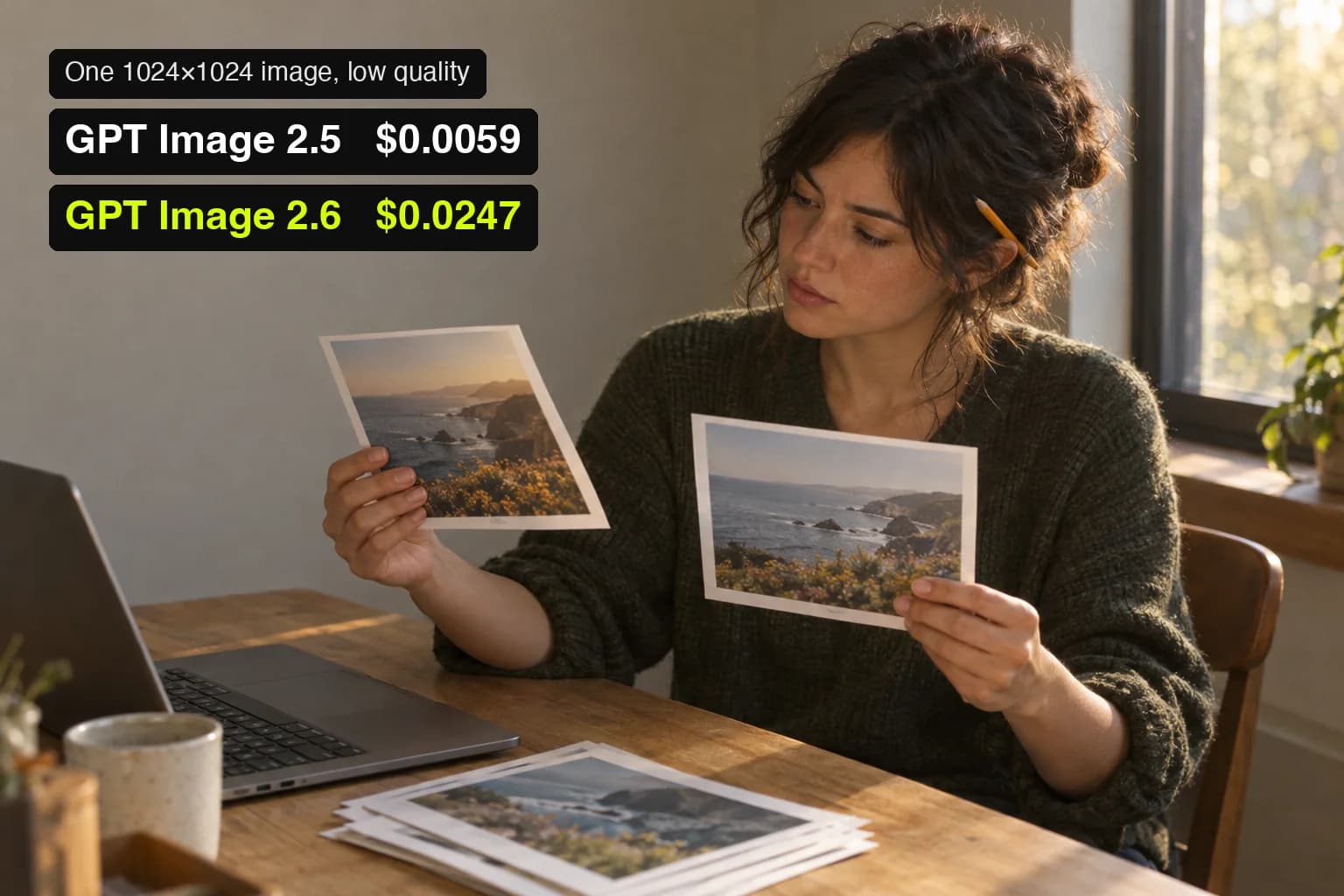
gpt-image-2.5-flare) in your drafting tier if you generate dozens of throwaway thumbnails before picking a winner. Because GPT Image 2.6 uses 4.2 times as many output tokens atlowquality ($0.0247 vs $0.0059 at 1024×1024) and 3.3 times as many atmedium($0.0435 vs $0.0132), drafting on 2.5 and promoting final renders to 2.6 athigh($0.0527 on both) cuts iteration spend without sacrificing final quality.
| Quality tier | 1024×1024 on 2.5 | 1024×1024 on 2.6 | Best role in a prompt pipeline |
|---|---|---|---|
low | $0.0059 | $0.0247 | Composition checks (draft on 2.5, skip on 2.6 unless needed) |
medium | $0.0132 | $0.0435 | Internal creative reviews and quick client proofs |
high | $0.0527 | $0.0527 | Final production assets, typography, and ecommerce hero shots |
xhigh | $0.0937 | $0.0937 | Dense infographics, character sheets, and 2K print layouts |
max | $0.2107 | $0.2107 | Hero print posters and maximum-detail multi-reference composites |
One practical shortcut on TokLab: a 1536x1024 or 1024x1536 image costs less than a 1024x1024 square ($0.0412 vs $0.0527 at high) because the token grid scales on the shorter edge. Whenever your layout can use a wide 3:2 or tall 2:3 frame instead of a strict square, you get more pixels for roughly 22% less money.
Runnable TokLab API starter for every prompt below
Image generation and editing on TokLab both run asynchronously through POST https://api.toklab.ai/v1/images/generations. Submit a JSON payload, capture the returned task id, and poll GET https://api.toklab.ai/v1/tasks/{id} until status becomes completed or failed. Failed tasks are not billed, and all reference images, masks, and markup overlays must be passed as public HTTP or HTTPS URLs rather than base64 strings.
curl -sS https://api.toklab.ai/v1/images/generations \
  -H "Authorization: Bearer $TOKLAB_API_KEY" \
  -H "Content-Type: application/json" \
  -d '{
    "model": "gpt-image-2.6-sunburst",
    "prompt": "Studio macro product photograph of a frosted amber glass dropper bottle...",
    "size": "1536x1024",
    "quality": "high",
    "complexity": "high",
    "output_format": "png"
  }'
Notice the complexity field (low, medium, or high). On GPT Image 2.6, complexity controls how much layout planning the model performs before rendering and carries no extra token surcharge. Leave it at high for posters, UI screens, diagrams, and character sheets where spatial alignment matters.
1. Ecommerce product photography (Prompts 1–3)
Product teams usually fail with generic prompts like "luxury skincare bottle on marble." The model invents warped serif labels, floating reflections, and inconsistent shadows that fail marketplace guidelines. Instead, lock the camera focal length, surface material, key-light direction, exact label strings in double quotes, and negative constraints.
Prompt 1: Matte ceramic skincare bottle with crisp packaging copy
Commercial studio product photograph of a matte warm-sand ceramic serum bottle with a brushed brass pump dispenser, standing upright on a honed travertine plinth. Printed directly on the front of the bottle in clean black grotesque sans-serif typography, centered: "SOLIS" at the top, "BARRIER SERUM" in smaller tracked uppercase below, and "30 ML / 1.0 FL OZ" near the base. Soft diffused window key light from camera left casting a long, gentle shadow to the right, subtle fill card on the right edge to keep label contrast crisp. Shot on 90mm macro lens at f/5.6, shallow background falloff into warm limestone plaster, realistic ceramic micro-grain, accurate brass specular highlights. No water droplets, no floating petals, no extra logos, no watermark.Model & tier note: Run on gpt-image-2.6-sunburst at quality: "high" and size: "1024x1536". If you need a clean cutout for a PDP gallery, set "background": "transparent" with "output_format": "png" and replace the travertine plinth phrase with "isolated on a transparent background with a soft contact shadow directly under the base."
Prompt 2: Overhead flat-lay coffee kit for marketplace hero banner
Editorial top-down 90-degree flat-lay photograph for a specialty coffee roaster homepage banner, 3:2 landscape composition with generous clean negative space on the left third for web overlay text. Arranged neatly on a light ash-wood tabletop: a matte black gooseneck pour-over kettle, a ribbed white ceramic dripper resting on a glass server, a kraft-paper coffee bag labeled "HIGHLAND WASHED" and "250G WHOLE BEAN" in crisp charcoal ink, and a small brass dosing scoop beside six roasted beans. Even overcast north-window daylight, crisp contact shadows, true-to-life paper fiber and wood grain, calibrated neutral color balance. Zero steam trails, zero hands, no garbled small print on the bag.Model & tier note: gpt-image-2.6-flare at medium handles overhead flat-lays well for A/B ad tests ($0.0340 at 1536x1024). Step up to high ($0.0412) once you pick the layout winner so the bag typography locks cleanly.
Prompt 3: Technical running shoe exploded material showcase
High-contrast commercial footwear studio shot of a modern carbon-plated running shoe angled three-quarters toward camera left, suspended three centimeters above a matte slate-gray cyclorama. Upper in breathable engineered off-white mesh with subtle translucent ripstop overlays, sculpted dual-density foam midsole in chalk white with a visible matte-black carbon plate edge, and translucent amber rubber outsole lugs. Dual strip-box rim lighting carving out the silhouette against a seamless dark graphite gradient, crisp top softbox revealing mesh weave texture. Shot on medium-format digital camera, 80mm lens, f/8 front-to-back sharpness. No brand swoosh, no text, no motion blur.2. UI, app mockups, and landing page visuals (Prompts 4–6)
UI mockups are where GPT Image 2.6 pulls far ahead of older diffusion models, provided you describe the grid structure, component hierarchy, and exact copy strings rather than asking for "a sleek SaaS dashboard." Treat the prompt like a wireframe spec.
Prompt 4: Fintech analytics desktop dashboard in daylight mode
Crisp product UI screenshot mockup of a modern B2B treasury dashboard displayed flat-on with zero perspective tilt, 16:9 widescreen desktop layout on a #F8FAFC canvas. Left narrow navigation sidebar in white with clean 1px #E2E8F0 border and five items: "Overview", "Accounts", "Transfers", "Cards", "Settings". Top header bar showing "Cash Position" on the left and a dark navy primary button labeled "New Transfer" on the right. Main content area uses a clean 12-column grid: top row has three white KPI cards with subtle shadows reading "Total Liquidity $4,820,400", "30-Day Net Flow +$312,900", and "Yield APY 4.85%". Below the KPIs, a wide area chart card titled "Daily Balance Trend" with a crisp emerald line and light green gradient fill, paired with a right-hand table card titled "Recent Settlements" listing four clean rows. Inter-style geometric sans-serif typography, tabular numerals, generous padding, zero lorem ipsum, zero garbled glyphs.Model & tier note: Always pass "complexity": "high" and "quality": "high" on gpt-image-2.6-sunburst for UI screenshots. For full vertical landing pages or long ecommerce detail pages beyond 3:1 aspect ratios, switch to Kling Image 4.0 Long Image instead of forcing extreme crops on GPT Image 2.6.
Prompt 5: Mobile fitness coaching app three-screen presentation
Clean marketing presentation of three frameless matte-black smartphone screens arranged horizontally on a soft cool-gray studio surface, gentle ambient shadow underneath, 3:2 landscape framing. Left screen shows a dark-mode workout timer with a circular lime-green progress ring reading "14:20" and button "PAUSE". Center screen (slightly larger, foreground) shows a daily readiness screen titled "Recovery Score", bold numeral "88", three horizontal metric bars labeled "Sleep", "HRV", and "Strain". Right screen shows a weekly bar chart titled "Active Minutes" with seven labeled day columns M through S. Sharp vector-like UI rendering, authentic iOS status bar icons, high contrast, completely legible labels, no fingerprints or glass glare.Prompt 6: Isometric browser window showcasing developer API docs
Minimalist editorial SaaS feature visual on a warm off-white #FAF9F6 background. A clean macOS browser window slightly angled at 12 degrees with soft layered drop shadow, showing a two-pane API documentation page. Left pane displays a structured endpoint list with HTTP method pills "POST /v1/images", "GET /v1/tasks", and "POST /v1/videos". Right pane displays a dark charcoal syntax-highlighted JSON code card with neat monospace indentation and a green "200 OK" response badge in the top corner. Restrained ink-black, slate, and electric-cobalt accent palette, razor-sharp edges, no floating 3D cartoons, no lens flare.3. Editorial typography, posters, and campaign art (Prompts 7–9)
Typography succeeds when you specify font family class, weight, case, spatial placement, and exact letter-for-letter copy, then explicitly forbid extra text. Whenever you leave "credits" or "subtitles" unspecified, image models fill the space with pseudo-Latin gibberish.
Prompt 7: Swiss modernist design conference poster
International Typographic Style poster in 2:3 vertical format, printed on lightly textured uncoated ivory paper with subtle risograph ink grain. Strict asymmetric Swiss grid built from bold vermilion red and deep carbon black geometric blocks. Upper left quadrant features giant tight-tracked Helvetica-style uppercase headline stacked on three lines: "FORM", "SYSTEMS", "2026". Lower right quadrant features clean smaller black body copy: "ZURICH DESIGN SYMPOSIUM", "NOVEMBER 14-16", "KUNSTHALLE MAIN HALL". A single overlapping halftone black circle intersects the central grid line. Flat overhead scan presentation with crisp paper margins, museum-grade print fidelity, zero misspelled letters, zero unrequested logos.Prompt 8: Sci-fi film teaser poster with atmospheric scale
Cinematic widescreen 16:9 science-fiction teaser poster. A lone astronaut in a matte white pressure suit stands viewed from behind at the bottom center of a colossal subterranean basalt cavern, facing a suspended monolithic ring of glowing amber light floating above dark still water. Volumetric shafts of pale cyan mist descend from a narrow fissure far overhead, creating dramatic atmospheric depth and subtle water reflections. Centered near the bottom in wide-tracked metallic silver uppercase serif typography: "ORBITAL ZERO". Directly below in smaller spaced caps: "SIGNAL LOST. MISSION CONTINUES." Photorealistic anamorphic lens rendering, subtle 35mm film grain, deep obsidian shadows with warm amber highlights, no extra characters, no billing block clutter.Prompt 9: Mid-century screen-printed coastal travel poster
Vintage 1960s screen-printed travel poster in 2:3 vertical proportions celebrating the Cinque Terre coastline. Stylized flat gouache shapes with crisp hand-cut stencil edges and visible matte paper texture: terraced pastel ochre, terracotta, and coral cliffside houses stacked above a deep cobalt sea, two tiny white sailboats in the harbor, and dark green olive branches framing the upper corners. Bold cream-white geometric sans-serif title across the bottom banner: "CINQUE TERRE" with smaller subtitle "ITALIAN RIVIERA" centered underneath. Limited six-color silkscreen ink palette with slight authentic print registration texture, warm Mediterranean noon sunlight, zero modern cars, zero watermarks.4. Isometric diagrams and technical explainers (Prompts 10–12)
Documentation teams and technical writers use GPT Image 2.6 to turn dry architecture paragraphs into clear diagrams without opening Blender or Illustrator. Keep node labels short (one to three words each) and cap the total label count at six to eight per frame so typography stays razor sharp.
Prompt 10: Cloud API gateway architecture isometric diagram
Clean isometric technical architecture diagram on a pure white background, 3:2 landscape format, modern engineering documentation aesthetic using fine slate-gray 2px linework and soft pastel blue, teal, and amber accents. Four connected isometric platform blocks arranged left to right along directional arrows: Block 1 labeled "CLIENT SDK" (laptop and terminal icon), Block 2 labeled "API GATEWAY" (shield and routing nodes), Block 3 labeled "TASK QUEUE" (stacked job cards), and Block 4 split into two parallel worker pads labeled "IMAGE WORKERS" and "VIDEO WORKERS". Crisp geometric sans-serif callout labels in dark charcoal, consistent 30-degree isometric projection, uniform subtle floor shadows, zero clutter, zero unreadable micro-text.Prompt 11: Cutaway mechanical watch movement technical illustration
Editorial technical cutaway illustration of a mechanical chronograph wristwatch movement in 1:1 square format on a warm archival parchment background. Drawn in precise ink-and-watercolor engineering manual style, showing exposed brass gear trains, blued steel screws, ruby jewel bearings, balance wheel, and coiled mainspring barrel in accurate layered depth. Five thin straight leader lines pointing to clean uppercase labels around the perimeter: "MAINSPRING", "BALANCE WHEEL", "ESCAPEMENT", "ROTOR", and "JEWEL BEARING". Crisp drafting line weight, realistic metallic shading, no overlapping text, no decorative border.Prompt 12: Four-step horizontal workflow infographic card
Clean horizontal 16:9 process infographic on a pale #F4F6F8 background designed for a technical blog post. Four equal rounded white cards arranged in a single row connected by slim dark-gray right-pointing arrows. Each card has a numbered cobalt-blue circle badge at top left, a minimal monochrome line icon in the center, and a bold title plus short subtitle: Card 1 "01 SUBMIT" / "POST JSON payload", Card 2 "02 QUEUE" / "Receive task ID", Card 3 "03 POLL" / "Check status URL", Card 4 "04 DELIVER" / "Download CDN asset". Flat vector editorial design, generous margins, razor-sharp alignment, zero stray text.5. Character consistency and concept art sheets (Prompts 13–15)
Game studios and brand teams need the same character across multiple angles and expressions before handing artwork to an animator or video model. Use xhigh quality ($0.0937 at 1024×1024) on gpt-image-2.6-sunburst when a single sheet packs turnarounds, expressions, and prop callouts together.
Prompt 13: Full character turnaround and expression sheet
Professional animation studio character design sheet on a clean off-white drafting background with subtle light-gray section dividers, 3:2 landscape layout. Subject is "KAI", a 28-year-old coastal salvage engineer with wind-tousled dark hair, a weathered teal waxed-canvas jacket over a cream knit sweater, dark utility trousers, tool holster at the hip, and scuffed leather boots. Left half shows full-body front, side profile, and back turnaround poses in neutral A-pose with identical proportions and lighting. Right upper quadrant shows four head-and-shoulder expression sketches labeled "NEUTRAL", "FOCUSED", "GRIN", and "SURPRISED". Right lower quadrant displays a five-swatch color palette strip and two isolated prop details: brass diving compass and canvas satchel. Clean painterly concept-art brushwork with crisp ink linework, zero watermark.Prompt 14: Brand mascot pose sheet on transparent background
Cohesive 2x2 grid of four poses for a friendly geometric robot mascot made of matte off-white ceramic with rounded rectangular screen face displaying simple cyan pixel eyes and a soft coral antenna tip. Top-left: waving hello; top-right: holding a tiny magnifying glass; bottom-left: giving a thumbs-up; bottom-right: carrying a cardboard parcel. Consistent studio softbox lighting, identical proportions and material finish across all four poses, soft 3D vinyl toy aesthetic, clean transparent background, no shadows extending off edges, no text.Model & tier note: Pass "background": "transparent" and "output_format": "png" so each quadrant can be sliced straight into onboarding screens or empty-state UI illustrations.
Prompt 15: Streetwear lookbook editorial portrait
35mm analog editorial portrait photograph of a young East Asian model standing outside a Tokyo architectural concrete gallery at dusk, medium shot framed from waist up. Wearing an oversized charcoal wool trench coat, structured black mock-neck top, and minimal silver hoop earrings. Cool ambient twilight sky balanced against warm tungsten interior light spilling through floor-to-ceiling glass behind the subject. Shot on 50mm f/2 lens, authentic Kodak Portra 400 grain, natural unretouched skin texture, realistic fabric drape, sharp focus on eyes, soft background bokeh. No text, no watermark, no artificial skin smoothing.6. Multi-image edits, markup overlays, and relighting (Prompts 16–18)
On TokLab, editing uses the exact same POST /v1/images/generations endpoint: attach an images array (1 to 16 reference URLs) and optionally a mask or GPT Image 2.6's new markup overlay. Note one strict schema rule: mask and markup cannot be sent together in the same request, and every URL must be publicly reachable over HTTP or HTTPS.
{
  "model": "gpt-image-2.6-sunburst",
  "prompt": "Place the matte ceramic bottle from image 1 onto the wet slate counter in image 2, matching the cool overcast window reflections from the left. Keep the bottle label text and brass pump geometry completely unchanged.",
  "images": [
    { "image_url": "https://cdn.example.com/assets/bottle-studio.png" },
    { "image_url": "https://cdn.example.com/scenes/slate-counter.png" }
  ],
  "size": "1536x1024",
  "quality": "high",
  "complexity": "high",
  "output_format": "png"
}
Prompt 16: Product placement composite from two reference images
Composite the product from image 1 onto the wooden kitchen counter in image 2, positioned slightly right of center beside the ceramic mug. Preserve the exact silhouette, label typography, cap proportions, and matte finish of image 1 without redrawing any letters. Match the warm morning directional sunlight coming from the window in image 2, casting a grounded contact shadow and subtle bounced warm highlight along the product's right edge. Keep all background cabinetry and lighting in image 2 unchanged.Prompt 17: Markup-guided localized interior swap
Follow the red hand-drawn markup annotations on image 1: replace only the circled navy fabric armchair with a mid-century walnut-frame lounge chair upholstered in cognac aniline leather. Match the exact perspective, floor shadow softness, and warm afternoon window light of the existing living room. Leave the rug weave, coffee table, bookshelf, wall art, and camera framing completely untouched.API note: Pass the original room photo in images: [{ "image_url": "..." }] and the transparent PNG containing the red circle in markup: { "image_url": "..." }. Markup overlays carry no extra fee beyond standard image input tokens ($8 per million tokens).
Prompt 18: Consistent batch background swap for catalog SKUs
Keep the footwear product from image 1 pixel-faithful in shape, stitching, sole tread, and color accuracy, and relocate it onto a sunlit pale limestone outdoor terrace step with soft dappled eucalyptus leaf shadows falling across the stone behind the shoe. Maintain the exact camera angle and focal length of image 1, add realistic ambient occlusion under the outsole, and keep the foreground sharp with gentle f/4 background blur. No extra props, no text.Five rules that prevent wasted renders on GPT Image 2.6
- Specify negative constraints explicitly. GPT Image 2.6 follows direct exclusions ("no extra logos, no water droplets, no floating text") reliably. Naming the two clichés you do not want saves more retries than adding five more style adjectives.
- Quote every literal word you expect to read. Any text described vaguely ("product specs on the label", "small credits at the bottom") degrades into letter-like noise. Put every required string in quotes and omit the rest.
- Draft on 2.5, ship on 2.6. Because GPT Image 2.6's
lowtier costs 4.2 times more than GPT Image 2.5'slowtier, run prompt iteration ongpt-image-2.5-flareatlowand switch togpt-image-2.6-sunburstathighfor final renders. - Check
sizedivisibility before submitting. Every customWIDTHxHEIGHTon TokLab must have both sides divisible by 16, neither side above 3840 pixels, aspect ratio between 1:3 and 3:1, and total pixels between 655,360 and 8,294,400. - Pair
svgandgifoutputs with their schema rules. On GPT Image 2.6,output_format: "svg"requiresn: 1and cannot accept referenceimages, whileoutput_format: "gif"supportsframe_countfrom 2 to 16 and cannot be combined with amask.
Fixing the four most common GPT Image 2.6 prompt defects
Even well-structured prompts hit predictable edge cases once real users or automated pipelines feed varied product copy into them. Before you burn extra retries raising quality from high to max, diagnose which of these four prompt defects is actually causing the flaw:
- Extra unrequested labels or fake nutrition facts: When you describe a bottle, poster, or dashboard as "authentic" or "detailed" without bounding the copy, GPT Image 2.6 fills empty space with tiny pseudo-text. Always close text-bearing prompts with an explicit exclusion such as "only the quoted strings above appear in the image; leave all other surfaces blank."
- Color or geometry drift in multi-image edits: Passing four or five reference images without telling the model which asset owns which property lets lighting cues from image 2 overwrite the product color in image 1. Start every multi-image prompt with an explicit role map ("image 1 is the exact product geometry and label; image 2 is the environment and lighting only") and keep
gpt-image-2.6-sunburstselected for edit fidelity. - Harsh white halos on transparent PNG cutouts: Asking for "studio lighting on a white studio sweep" while passing
"background": "transparent"creates conflicting instructions. The model renders bright rim reflections intended for a white floor that look chalky when placed over a dark storefront theme. Describe neutral even lighting and specify "clean crisp alpha edges with no white fringe" instead. - Unexpected bill spikes on automated retries: Because
lowquality on GPT Image 2.6 costs 4.2 times more thanlowon GPT Image 2.5, an unthrottled retry loop that generates sixlowdrafts per user click can quietly quadruple monthly spend. Cap automated retries at two attempts, keep exploratory thumbnails ongpt-image-2.5-flare, and promote only winning prompts togpt-image-2.6-sunburstathigh.
Structuring prompts for batch pipelines and automated QA
When you move these templates from manual playground tests into a backend worker, keep the prompt modular rather than concatenating messy user input directly into one paragraph. Split every prompt template into four deterministic slots: subject and product geometry, scene and lighting physics, literal quoted typography, and fixed negative constraints. Storing those four slots separately lets your service swap SKU names, seasonal backgrounds, or localized copy without accidentally breaking the lens focal length or lighting setup that made the hero render work.
Before persisting a completed task from GET /v1/tasks/{id}, run a lightweight post-check on the returned image dimensions, transparency channel (when background: "transparent" is requested), and OCR on any quoted packaging text. If a high-value ecommerce asset misses a character in the label, retrying only that single SKU on gpt-image-2.6-sunburst with complexity: "high" keeps overall batch unit costs predictable while protecting catalog quality.
When you are ready to run these templates in code, inspect the full parameter reference on GPT Image 2.6 or compare live rates across image models on the TokLab catalog.