GPT Image 2.6 Prompt-Bibliothek: 18 Produktionsvorlagen & API-Payloads
Kopiere 18 produktionsreife Prompts für GPT Image 2.6 Flare und Sunburst: E-Commerce, UI-Mockups, Typografie, Diagramme und Multi-Image-Edits samt Kosten.
Als Markdown lesenDie meisten Prompt-Galerien liefern einzeilige Kunstbeschreibungen, die in einem Post nett aussehen, aber sofort scheitern, sobald ein Produktdesigner lesbaren Verpackungstext, ein exaktes 16:9-Format oder einen sauberen Edit auf einem bestehenden Studiofoto verlangt. GPT Image 2.6 belohnt eine andere Arbeitsweise: Prompts wie kompakte Produktions-Briefings, die Layout-Geometrie, Lichtphysik, Materialtextur, wörtlichen Text in Anführungszeichen und klare Ausschlüsse definieren.
Dieses Cookbook versammelt 18 kopierfertige Prompts aus sechs realen Produktiv-Workflows: E-Commerce-Produktfotografie, UI- und App-Mockups, Editorial-Poster, isometrische Technikdiagramme, Character-Turnarounds und Multi-Image-Edits. Jeder Abschnitt erklärt, wann gpt-image-2.6-flare gegenüber gpt-image-2.6-sunburst die bessere Wahl ist, wo GPT Image 2.5 bei Entwürfen weiterhin günstiger bleibt und wie die exakte JSON-Payload an https://api.toklab.ai/v1/images/generations aussieht.
Vor dem Rendern: Flare, Sunburst oder GPT Image 2.5?
Entscheide vor dem ersten Batch-Job, welcher Modell-Slug und welche Qualitätsstufe zu deiner Pipeline-Phase passen. Auf TokLab teilen sich gpt-image-2.6-flare und gpt-image-2.6-sunburst dieselbe Token-Preisliste ($30 pro Million Bild-Output-Tokens, $8 pro Million Bild-Input-Tokens und $5 pro Million Text-Input-Tokens laut OpenAI-Referenz; aktuelle Gateway-Preise stehen auf TokLab Pricing). Sunburst kostet pro Token also keinen Aufpreis – die Trennung ist rein funktional:
- Nutze
gpt-image-2.6-flarefür schnelle Konzept-Exploration, Ad-Varianten, Lifestyle-Szenen und Pipelines, in denen niedrige Latenz wichtiger ist als chirurgische Edit-Treue. - Nutze
gpt-image-2.6-sunburstfür typografielastige Poster, Multi-Image-Composites, Markup-geführte Edits und Produktfotos, bei denen feine Glanzlichter oder Label-Kerning einer genauen Prüfung standhalten müssen. - Behalte GPT Image 2.5 (
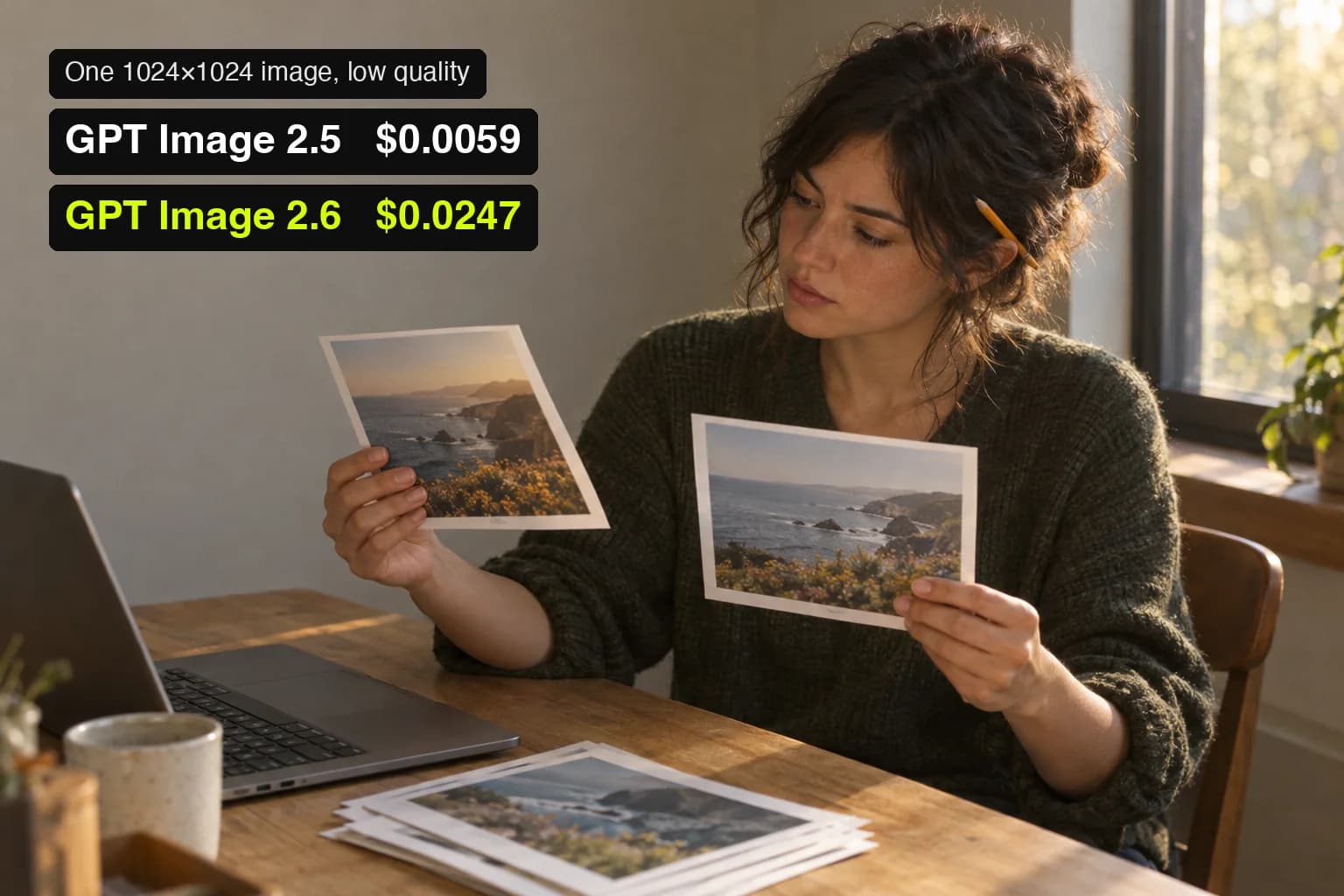
gpt-image-2.5-flare) in deiner Entwurfsstufe, wenn du dutzende Wegwerf-Thumbnails erzeugst, bevor ein Favorit feststeht. Weil GPT Image 2.6 beilow4,2-mal so viele Output-Tokens braucht ($0.0247 vs. $0.0059 bei 1024×1024) und beimedium3,3-mal so viele ($0.0435 vs. $0.0132), sparst du mit Entwürfen auf 2.5 und finalen Renders auf 2.6 beihigh(jeweils $0.0527) deutlich Budget ohne Qualitätsverlust.
| Qualitätsstufe | 1024×1024 auf 2.5 | 1024×1024 auf 2.6 | Beste Rolle in einer Prompt-Pipeline |
|---|---|---|---|
low | $0.0059 | $0.0247 | Kompositions-Checks (auf 2.5 entwerfen, auf 2.6 meist überspringen) |
medium | $0.0132 | $0.0435 | Interne Kreativ-Reviews und schnelle Kundenabzüge |
high | $0.0527 | $0.0527 | Finale Produktions-Assets, Typografie und E-Commerce-Hero-Shots |
xhigh | $0.0937 | $0.0937 | Dichte Infografiken, Character-Sheets und 2K-Print-Layouts |
max | $0.2107 | $0.2107 | Hero-Printposter und detailreichste Multi-Referenz-Composites |
Ein praktischer Kniff auf TokLab: Ein Bild in 1536x1024 oder 1024x1536 kostet weniger als ein Quadrat in 1024x1024 ($0.0412 vs. $0.0527 bei high), weil das Token-Raster über die kürzere Kante skaliert. Wann immer dein Layout 3:2 quer oder 2:3 hoch erlaubt, bekommst du mehr Pixel für rund 22 % weniger Geld.
Ausführbarer TokLab-API-Starter für jeden Prompt unten
Bildgenerierung und -bearbeitung laufen auf TokLab asynchron über POST https://api.toklab.ai/v1/images/generations. Sende eine JSON-Payload, speichere die zurückgelieferte Task-id und polle GET https://api.toklab.ai/v1/tasks/{id}, bis status auf completed oder failed steht. Fehlgeschlagene Tasks kosten nichts, und alle Referenzbilder, Masken und Markup-Overlays müssen als öffentlich erreichbare HTTP- oder HTTPS-URLs statt als Base64 übergeben werden.
curl -sS https://api.toklab.ai/v1/images/generations \
  -H "Authorization: Bearer $TOKLAB_API_KEY" \
  -H "Content-Type: application/json" \
  -d '{
    "model": "gpt-image-2.6-sunburst",
    "prompt": "Studio macro product photograph of a frosted amber glass dropper bottle...",
    "size": "1536x1024",
    "quality": "high",
    "complexity": "high",
    "output_format": "png"
  }'
Beachte das Feld complexity (low, medium oder high). Auf GPT Image 2.6 steuert complexity, wie viel Layout-Planung das Modell vor dem Rendern investiert, ohne zusätzliche Token-Gebühren zu verursachen. Lass es bei Postern, UI-Screens, Diagrammen und Character-Sheets mit strenger Raumaufteilung immer auf high.
1. E-Commerce-Produktfotografie (Prompts 1–3)
Produktteams scheitern regelmäßig an generischen Prompts wie „luxury skincare bottle on marble“: Das Modell erfindet verzerrte Serifen-Labels, schwebende Reflexionen und widersprüchliche Schatten, die jede Marktplatz-Richtlinie verfehlen. Fixiere stattdessen Brennweite, Oberflächenmaterial, Hauptlicht-Richtung, exakten Label-Text in Anführungszeichen und Negativ-Regeln.
Prompt 1: Matte Keramik-Skincare-Flasche mit gestochen scharfem Verpackungstext
Commercial studio product photograph of a matte warm-sand ceramic serum bottle with a brushed brass pump dispenser, standing upright on a honed travertine plinth. Printed directly on the front of the bottle in clean black grotesque sans-serif typography, centered: "SOLIS" at the top, "BARRIER SERUM" in smaller tracked uppercase below, and "30 ML / 1.0 FL OZ" near the base. Soft diffused window key light from camera left casting a long, gentle shadow to the right, subtle fill card on the right edge to keep label contrast crisp. Shot on 90mm macro lens at f/5.6, shallow background falloff into warm limestone plaster, realistic ceramic micro-grain, accurate brass specular highlights. No water droplets, no floating petals, no extra logos, no watermark.Modell- & Tier-Hinweis: Führe diesen Prompt auf gpt-image-2.6-sunburst mit quality: "high" und size: "1024x1536" aus. Für einen sauberen Freisteller in einer PDP-Galerie setze "background": "transparent" plus "output_format": "png" und ersetze den Travertin-Sockel durch „isolated on a transparent background with a soft contact shadow directly under the base“.
Prompt 2: Overhead-Flat-Lay eines Kaffee-Sets für Marktplatz-Hero-Banner
Editorial top-down 90-degree flat-lay photograph for a specialty coffee roaster homepage banner, 3:2 landscape composition with generous clean negative space on the left third for web overlay text. Arranged neatly on a light ash-wood tabletop: a matte black gooseneck pour-over kettle, a ribbed white ceramic dripper resting on a glass server, a kraft-paper coffee bag labeled "HIGHLAND WASHED" and "250G WHOLE BEAN" in crisp charcoal ink, and a small brass dosing scoop beside six roasted beans. Even overcast north-window daylight, crisp contact shadows, true-to-life paper fiber and wood grain, calibrated neutral color balance. Zero steam trails, zero hands, no garbled small print on the bag.Modell- & Tier-Hinweis: Für A/B-Anzeigentests liefert gpt-image-2.6-flare auf medium bereits starke Flat-Lays ($0.0340 bei 1536x1024). Steige auf high ($0.0412) um, sobald das Sieger-Layout feststeht, damit die Tüten-Typografie perfekt sitzt.
Prompt 3: Technischer Laufschuh als Material-Studioaufnahme
High-contrast commercial footwear studio shot of a modern carbon-plated running shoe angled three-quarters toward camera left, suspended three centimeters above a matte slate-gray cyclorama. Upper in breathable engineered off-white mesh with subtle translucent ripstop overlays, sculpted dual-density foam midsole in chalk white with a visible matte-black carbon plate edge, and translucent amber rubber outsole lugs. Dual strip-box rim lighting carving out the silhouette against a seamless dark graphite gradient, crisp top softbox revealing mesh weave texture. Shot on medium-format digital camera, 80mm lens, f/8 front-to-back sharpness. No brand swoosh, no text, no motion blur.2. UI-, App-Mockups und Landingpage-Visuals (Prompts 4–6)
Bei UI-Mockups hängt GPT Image 2.6 ältere Diffusionsmodelle weit ab – vorausgesetzt, du beschreibst Raster, Komponentenhierarchie und exakte Texte wie eine Wireframe-Spezifikation statt nach „a sleek SaaS dashboard“ zu fragen.
Prompt 4: Fintech-Analytics-Desktop-Dashboard im Light Mode
Crisp product UI screenshot mockup of a modern B2B treasury dashboard displayed flat-on with zero perspective tilt, 16:9 widescreen desktop layout on a #F8FAFC canvas. Left narrow navigation sidebar in white with clean 1px #E2E8F0 border and five items: "Overview", "Accounts", "Transfers", "Cards", "Settings". Top header bar showing "Cash Position" on the left and a dark navy primary button labeled "New Transfer" on the right. Main content area uses a clean 12-column grid: top row has three white KPI cards with subtle shadows reading "Total Liquidity $4,820,400", "30-Day Net Flow +$312,900", and "Yield APY 4.85%". Below the KPIs, a wide area chart card titled "Daily Balance Trend" with a crisp emerald line and light green gradient fill, paired with a right-hand table card titled "Recent Settlements" listing four clean rows. Inter-style geometric sans-serif typography, tabular numerals, generous padding, zero lorem ipsum, zero garbled glyphs.Modell- & Tier-Hinweis: Übergib bei UI-Screenshots auf gpt-image-2.6-sunburst immer "complexity": "high" und "quality": "high". Für komplette vertikale Landingpages oder sehr lange Produktseiten jenseits von 3:1 wechsle lieber zu Kling Image 4.0 Long Image, statt GPT Image 2.6 in extreme Zuschnitte zu zwingen.
Prompt 5: Präsentation einer mobilen Fitness-Coaching-App auf drei Screens
Clean marketing presentation of three frameless matte-black smartphone screens arranged horizontally on a soft cool-gray studio surface, gentle ambient shadow underneath, 3:2 landscape framing. Left screen shows a dark-mode workout timer with a circular lime-green progress ring reading "14:20" and button "PAUSE". Center screen (slightly larger, foreground) shows a daily readiness screen titled "Recovery Score", bold numeral "88", three horizontal metric bars labeled "Sleep", "HRV", and "Strain". Right screen shows a weekly bar chart titled "Active Minutes" with seven labeled day columns M through S. Sharp vector-like UI rendering, authentic iOS status bar icons, high contrast, completely legible labels, no fingerprints or glass glare.Prompt 6: Isometrisches Browser-Fenster mit Entwickler-API-Dokumentation
Minimalist editorial SaaS feature visual on a warm off-white #FAF9F6 background. A clean macOS browser window slightly angled at 12 degrees with soft layered drop shadow, showing a two-pane API documentation page. Left pane displays a structured endpoint list with HTTP method pills "POST /v1/images", "GET /v1/tasks", and "POST /v1/videos". Right pane displays a dark charcoal syntax-highlighted JSON code card with neat monospace indentation and a green "200 OK" response badge in the top corner. Restrained ink-black, slate, and electric-cobalt accent palette, razor-sharp edges, no floating 3D cartoons, no lens flare.3. Editorial-Typografie, Poster und Kampagnenkunst (Prompts 7–9)
Typografie gelingt, wenn du Schriftklasse, Strichstärke, Groß-/Kleinschreibung, Platzierung und den buchstabengetreuen Text vorgibst – und zusätzlichen Text ausdrücklich verbietest. Bleiben „Credits“ oder „Untertitel“ offen, füllen Bildmodelle den Platz mit Pseudo-Latein.
Prompt 7: Schweizer modernistisches Design-Konferenzposter
International Typographic Style poster in 2:3 vertical format, printed on lightly textured uncoated ivory paper with subtle risograph ink grain. Strict asymmetric Swiss grid built from bold vermilion red and deep carbon black geometric blocks. Upper left quadrant features giant tight-tracked Helvetica-style uppercase headline stacked on three lines: "FORM", "SYSTEMS", "2026". Lower right quadrant features clean smaller black body copy: "ZURICH DESIGN SYMPOSIUM", "NOVEMBER 14-16", "KUNSTHALLE MAIN HALL". A single overlapping halftone black circle intersects the central grid line. Flat overhead scan presentation with crisp paper margins, museum-grade print fidelity, zero misspelled letters, zero unrequested logos.Prompt 8: Sci-Fi-Film-Teaserposter mit atmosphärischer Dimension
Cinematic widescreen 16:9 science-fiction teaser poster. A lone astronaut in a matte white pressure suit stands viewed from behind at the bottom center of a colossal subterranean basalt cavern, facing a suspended monolithic ring of glowing amber light floating above dark still water. Volumetric shafts of pale cyan mist descend from a narrow fissure far overhead, creating dramatic atmospheric depth and subtle water reflections. Centered near the bottom in wide-tracked metallic silver uppercase serif typography: "ORBITAL ZERO". Directly below in smaller spaced caps: "SIGNAL LOST. MISSION CONTINUES." Photorealistic anamorphic lens rendering, subtle 35mm film grain, deep obsidian shadows with warm amber highlights, no extra characters, no billing block clutter.Prompt 9: Mid-Century-Siebdruck-Reiseposter der Küste
Vintage 1960s screen-printed travel poster in 2:3 vertical proportions celebrating the Cinque Terre coastline. Stylized flat gouache shapes with crisp hand-cut stencil edges and visible matte paper texture: terraced pastel ochre, terracotta, and coral cliffside houses stacked above a deep cobalt sea, two tiny white sailboats in the harbor, and dark green olive branches framing the upper corners. Bold cream-white geometric sans-serif title across the bottom banner: "CINQUE TERRE" with smaller subtitle "ITALIAN RIVIERA" centered underneath. Limited six-color silkscreen ink palette with slight authentic print registration texture, warm Mediterranean noon sunlight, zero modern cars, zero watermarks.4. Isometrische Diagramme und technische Erklärgrafiken (Prompts 10–12)
Doku-Teams und Technical Writer nutzen GPT Image 2.6, um trockene Architekturabsätze ohne Blender oder Illustrator in klare Diagramme zu übersetzen. Halte Knotenbeschriftungen kurz (ein bis drei Wörter) und begrenze die Gesamtzahl auf sechs bis acht Labels pro Bild, damit die Schrift gestochen scharf bleibt.
Prompt 10: Isometrisches Architekturdiagramm eines Cloud-API-Gateways
Clean isometric technical architecture diagram on a pure white background, 3:2 landscape format, modern engineering documentation aesthetic using fine slate-gray 2px linework and soft pastel blue, teal, and amber accents. Four connected isometric platform blocks arranged left to right along directional arrows: Block 1 labeled "CLIENT SDK" (laptop and terminal icon), Block 2 labeled "API GATEWAY" (shield and routing nodes), Block 3 labeled "TASK QUEUE" (stacked job cards), and Block 4 split into two parallel worker pads labeled "IMAGE WORKERS" and "VIDEO WORKERS". Crisp geometric sans-serif callout labels in dark charcoal, consistent 30-degree isometric projection, uniform subtle floor shadows, zero clutter, zero unreadable micro-text.Prompt 11: Technische Schnittzeichnung eines mechanischen Uhrwerks
Editorial technical cutaway illustration of a mechanical chronograph wristwatch movement in 1:1 square format on a warm archival parchment background. Drawn in precise ink-and-watercolor engineering manual style, showing exposed brass gear trains, blued steel screws, ruby jewel bearings, balance wheel, and coiled mainspring barrel in accurate layered depth. Five thin straight leader lines pointing to clean uppercase labels around the perimeter: "MAINSPRING", "BALANCE WHEEL", "ESCAPEMENT", "ROTOR", and "JEWEL BEARING". Crisp drafting line weight, realistic metallic shading, no overlapping text, no decorative border.Prompt 12: Horizontale Vier-Schritt-Workflow-Infografik
Clean horizontal 16:9 process infographic on a pale #F4F6F8 background designed for a technical blog post. Four equal rounded white cards arranged in a single row connected by slim dark-gray right-pointing arrows. Each card has a numbered cobalt-blue circle badge at top left, a minimal monochrome line icon in the center, and a bold title plus short subtitle: Card 1 "01 SUBMIT" / "POST JSON payload", Card 2 "02 QUEUE" / "Receive task ID", Card 3 "03 POLL" / "Check status URL", Card 4 "04 DELIVER" / "Download CDN asset". Flat vector editorial design, generous margins, razor-sharp alignment, zero stray text.5. Charakterkonsistenz und Concept-Art-Sheets (Prompts 13–15)
Game-Studios und Markenteams brauchen dieselbe Figur aus mehreren Perspektiven und mit verschiedenen Gesichtsausdrücken, bevor das Material an Animation oder Videomodelle geht. Nutze xhigh ($0.0937 bei 1024×1024) auf gpt-image-2.6-sunburst, wenn ein einziges Sheet Turnarounds, Mimik und Requisiten bündelt.
Prompt 13: Vollständiges Character-Turnaround- und Expression-Sheet
Professional animation studio character design sheet on a clean off-white drafting background with subtle light-gray section dividers, 3:2 landscape layout. Subject is "KAI", a 28-year-old coastal salvage engineer with wind-tousled dark hair, a weathered teal waxed-canvas jacket over a cream knit sweater, dark utility trousers, tool holster at the hip, and scuffed leather boots. Left half shows full-body front, side profile, and back turnaround poses in neutral A-pose with identical proportions and lighting. Right upper quadrant shows four head-and-shoulder expression sketches labeled "NEUTRAL", "FOCUSED", "GRIN", and "SURPRISED". Right lower quadrant displays a five-swatch color palette strip and two isolated prop details: brass diving compass and canvas satchel. Clean painterly concept-art brushwork with crisp ink linework, zero watermark.Prompt 14: Posen-Sheet eines Markenmaskottchens auf transparentem Hintergrund
Cohesive 2x2 grid of four poses for a friendly geometric robot mascot made of matte off-white ceramic with rounded rectangular screen face displaying simple cyan pixel eyes and a soft coral antenna tip. Top-left: waving hello; top-right: holding a tiny magnifying glass; bottom-left: giving a thumbs-up; bottom-right: carrying a cardboard parcel. Consistent studio softbox lighting, identical proportions and material finish across all four poses, soft 3D vinyl toy aesthetic, clean transparent background, no shadows extending off edges, no text.Modell- & Tier-Hinweis: Übergib "background": "transparent" und "output_format": "png", damit sich jeder Quadrant direkt in Onboarding-Screens oder Empty-State-Illustrationen schneiden lässt.
Prompt 15: Streetwear-Lookbook-Editorial-Porträt
35mm analog editorial portrait photograph of a young East Asian model standing outside a Tokyo architectural concrete gallery at dusk, medium shot framed from waist up. Wearing an oversized charcoal wool trench coat, structured black mock-neck top, and minimal silver hoop earrings. Cool ambient twilight sky balanced against warm tungsten interior light spilling through floor-to-ceiling glass behind the subject. Shot on 50mm f/2 lens, authentic Kodak Portra 400 grain, natural unretouched skin texture, realistic fabric drape, sharp focus on eyes, soft background bokeh. No text, no watermark, no artificial skin smoothing.6. Multi-Image-Edits, Markup-Overlays und Relighting (Prompts 16–18)
Auf TokLab läuft die Bildbearbeitung über exakt denselben Endpunkt POST /v1/images/generations: Hänge ein images-Array (1 bis 16 Referenz-URLs) und optional eine mask oder das neue markup-Overlay von GPT Image 2.6 an. Wichtig ist eine strikte Schema-Regel: mask und markup dürfen nicht gleichzeitig im selben Request stehen, und jede URL muss öffentlich per HTTP oder HTTPS abrufbar sein.
{
  "model": "gpt-image-2.6-sunburst",
  "prompt": "Place the matte ceramic bottle from image 1 onto the wet slate counter in image 2, matching the cool overcast window reflections from the left. Keep the bottle label text and brass pump geometry completely unchanged.",
  "images": [
    { "image_url": "https://cdn.example.com/assets/bottle-studio.png" },
    { "image_url": "https://cdn.example.com/scenes/slate-counter.png" }
  ],
  "size": "1536x1024",
  "quality": "high",
  "complexity": "high",
  "output_format": "png"
}
Prompt 16: Produktplatzierungs-Composite aus zwei Referenzbildern
Composite the product from image 1 onto the wooden kitchen counter in image 2, positioned slightly right of center beside the ceramic mug. Preserve the exact silhouette, label typography, cap proportions, and matte finish of image 1 without redrawing any letters. Match the warm morning directional sunlight coming from the window in image 2, casting a grounded contact shadow and subtle bounced warm highlight along the product's right edge. Keep all background cabinetry and lighting in image 2 unchanged.Prompt 17: Markup-geführter lokaler Möbeltausch im Innenraum
Follow the red hand-drawn markup annotations on image 1: replace only the circled navy fabric armchair with a mid-century walnut-frame lounge chair upholstered in cognac aniline leather. Match the exact perspective, floor shadow softness, and warm afternoon window light of the existing living room. Leave the rug weave, coffee table, bookshelf, wall art, and camera framing completely untouched.API-Hinweis: Übergib das Originalfoto des Raums in images: [{ "image_url": "..." }] und das transparente PNG mit dem roten Kreis in markup: { "image_url": "..." }. Markup-Overlays verursachen über normale Bild-Input-Tokens ($8 pro Million) hinaus keine Zusatzgebühr.
Prompt 18: Konsistenter Batch-Hintergrundtausch für Katalog-SKUs
Keep the footwear product from image 1 pixel-faithful in shape, stitching, sole tread, and color accuracy, and relocate it onto a sunlit pale limestone outdoor terrace step with soft dappled eucalyptus leaf shadows falling across the stone behind the shoe. Maintain the exact camera angle and focal length of image 1, add realistic ambient occlusion under the outsole, and keep the foreground sharp with gentle f/4 background blur. No extra props, no text.Fünf Regeln gegen verschwendete Renders auf GPT Image 2.6
- Formuliere Negativ-Regeln explizit. GPT Image 2.6 folgt direkten Ausschlüssen („no extra logos, no water droplets, no floating text“) zuverlässig. Zwei unerwünschte Klischees klar zu verbieten, spart mehr Retries als fünf weitere Stil-Adjektive.
- Setze jedes lesbare Wort in Anführungszeichen. Vage beschriebener Text („product specs on the label“, „small credits at the bottom“) zerfällt in buchstabenähnliches Rauschen. Schreib jeden benötigten String wörtlich in Anführungszeichen und lass den Rest weg.
- Entwirf auf 2.5, liefere auf 2.6 aus. Weil
lowauf GPT Image 2.6 das 4,2-Fache vonlowauf GPT Image 2.5 kostet, iteriere Prompts aufgpt-image-2.5-flare(low) und wechsle für finale Renders aufgpt-image-2.6-sunburst(high). - Prüfe vor dem Absenden die Teilbarkeit von
size. Jedes benutzerdefinierteWIDTHxHEIGHTauf TokLab muss auf beiden Seiten durch 16 teilbar sein, darf maximal 3840 Pixel je Seite haben, ein Seitenverhältnis zwischen 1:3 und 3:1 einhalten und zwischen 655.360 und 8.294.400 Gesamtpixeln liegen. - Beachte die Schema-Regeln für
svgundgif. Auf GPT Image 2.6 verlangtoutput_format: "svg"zwingendn: 1und akzeptiert keine Referenz-images;output_format: "gif"unterstütztframe_countvon 2 bis 16 und lässt sich nicht mit einermaskkombinieren.
Die vier häufigsten Prompt-Defekte bei GPT Image 2.6 beheben
Selbst gut strukturierte Prompts laufen in vorhersehbare Grenzfälle, sobald echte Nutzer oder automatisierte Pipelines wechselnde Produkttexte einspeisen. Prüfe vor teuren Retries auf max, welcher dieser vier Defekte die Ursache ist:
- Ungefragte Zusatz-Labels oder erfundene Nährwerttabellen: Beschreibst du eine Flasche, ein Poster oder ein Dashboard ohne klare Textgrenzen als „authentic“ oder „detailed“, füllt GPT Image 2.6 leere Flächen mit winzigem Pseudotext. Schließe Prompts mit Text immer mit einem expliziten Verbot ab wie „only the quoted strings above appear in the image; leave all other surfaces blank“.
- Farb- oder Geometrie-Drift bei Multi-Image-Edits: Übergibst du vier oder fünf Referenzbilder, ohne festzulegen, welches Asset welche Eigenschaft steuert, überschreibt das Licht aus Bild 2 leicht die Produktfarbe aus Bild 1. Beginne jeden Multi-Image-Prompt mit einer klaren Rollenverteilung („image 1 is the exact product geometry and label; image 2 is the environment and lighting only“) und bleibe für Edit-Treue auf
gpt-image-2.6-sunburst. - Harte weiße Ränder bei transparenten PNG-Freistellern: „Studio lighting on a white studio sweep“ zusammen mit
"background": "transparent"widerspricht sich. Das Modell rendert helle Randreflexionen für einen weißen Boden, die auf dunklen Shop-Themes kreidig wirken. Beschreibe stattdessen neutrales, gleichmäßiges Licht und verlange „clean crisp alpha edges with no white fringe“. - Unerwartete Kostensprünge durch automatische Retries: Weil
lowauf GPT Image 2.6 4,2-mal teurer ist alslowauf GPT Image 2.5, kann eine ungebremste Retry-Schleife mit sechslow-Entwürfen pro Nutzerklick die Monatsrechnung still vervierfachen. Begrenze automatische Retries auf zwei Versuche, belasse explorative Thumbnails aufgpt-image-2.5-flareund befördere nur erfolgreiche Prompts aufgpt-image-2.6-sunburst(high).
Prompts für Batch-Pipelines und automatisierte QA strukturieren
Wenn diese Vorlagen vom manuellen Playground-Test in einen Backend-Worker wandern, halte den Prompt modular, statt unsaubere Nutzereingaben direkt in einen Fließtext zu kleben. Teile jede Vorlage in vier deterministische Slots: Motiv und Produktgeometrie, Szene und Lichtphysik, wörtliche Typografie in Anführungszeichen sowie feste Negativ-Regeln. Durch die Trennung tauscht dein Service SKU-Namen, saisonale Hintergründe oder lokalisierte Texte aus, ohne versehentlich Brennweite oder Lichtsetup eines funktionierenden Hero-Renders zu zerstören.
Führe vor dem Speichern eines abgeschlossenen Tasks von GET /v1/tasks/{id} einen schlanken Post-Check auf Bildmaße, Transparenzkanal (bei background: "transparent") und OCR für zitierte Verpackungstexte durch. Fehlt bei einem wichtigen E-Commerce-Asset ein Zeichen im Label, hält das gezielte Nachrendern nur dieser einen SKU auf gpt-image-2.6-sunburst mit complexity: "high" die Stückkosten kalkulierbar und schützt die Katalogqualität.
Wenn du diese Vorlagen direkt im Code einsetzen willst, findest du die vollständige Parameter-Referenz unter GPT Image 2.6 und Live-Preise aller Bildmodelle im TokLab-Katalog.