GPT Image 2.6 提示詞庫:18 套正式環境範本與 API 酬載
直接複製 18 套 GPT Image 2.6 Flare 與 Sunburst 正式提示詞,涵蓋電商攝影、UI 原型、海報字體、等角圖解與多圖編輯,並附成本試算。
以 Markdown 閱讀市面上多數提示詞合集給的都是一句話藝術描述,發在社群貼文裡很吸睛,但只要產品設計師一要求清楚可讀的包裝文案、精準的 16:9 比例,或在現有棚拍照上做乾淨修改,立刻原形畢露。GPT Image 2.6 偏愛的是另一種寫法:把提示詞當成精簡的製作簡報,寫清構圖幾何、打光物理、材質紋理、逐字引號文字,以及畫面裡絕對不該出現的元素。
這份實戰手冊收錄 18 套可直接複製套用的提示詞,對應六種真實上線工作流:電商商品攝影、UI 與 App 原型、編輯海報、等角技術圖解、角色三視圖,以及多圖合成編輯。每個章節都會說明何時該呼叫 gpt-image-2.6-flare 或 gpt-image-2.6-sunburst、在草稿階段為何 GPT Image 2.5 依然更省錢,以及如何把確切的 JSON 酬載接到 https://api.toklab.ai/v1/images/generations。
渲染前先選對 Flare、Sunburst 與 GPT Image 2.5
把提示詞丟進批次任務前,先確認哪個模型 ID 與品質檔位對應你目前所在的管線階段。在 TokLab 上,gpt-image-2.6-flare 與 gpt-image-2.6-sunburst 採用完全相同的權杖費率表(參考 OpenAI 牌價為每百萬圖像輸出權杖 $30、圖像輸入 $8、文字輸入 $5;即時閘道器費率請見 TokLab 定價頁面)。選用 Sunburst 不會拉高單價,因此兩者的分工純粹看功能特性:
gpt-image-2.6-flare: 適合快速概念發想、廣告素材變體、生活情境照,以及對延遲敏感度高於手術級編修保真度的管線。gpt-image-2.6-sunburst: 適合大量字體排版海報、多圖參考合成、標記線導引編修,以及細微高光或標籤字距必須經得起放大檢視的商品照。- 草稿階段保留 GPT Image 2.5(
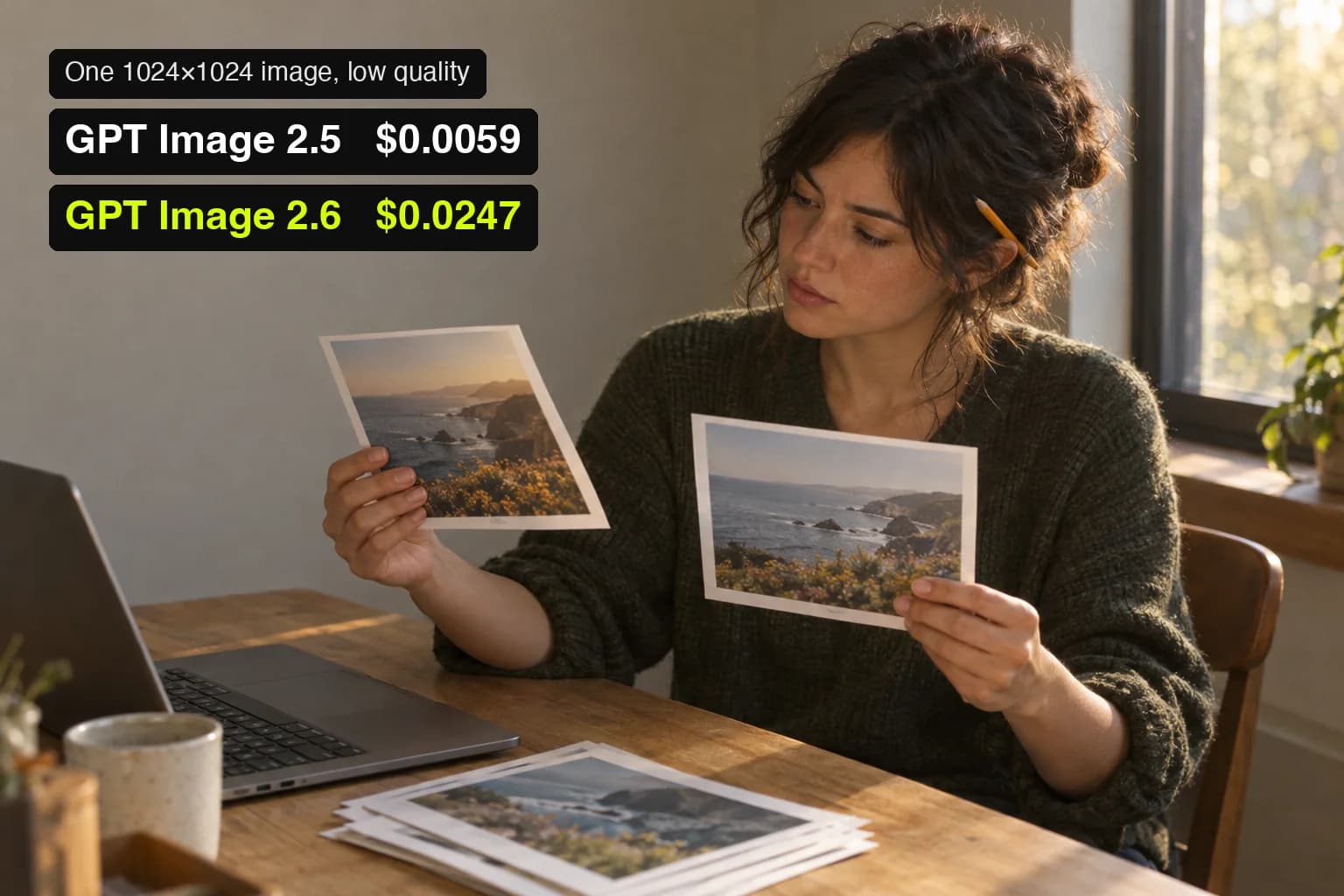
gpt-image-2.5-flare): 如果你常在挑出最終構圖前先生幾十張拋棄式縮圖,因為 GPT Image 2.6 在low品質消耗的輸出權杖是 2.5 的 4.2 倍(1024×1024 為 $0.0247 對 $0.0059)、medium是 3.3 倍($0.0435 對 $0.0132),用 2.5 打草稿、定案後再切到 2.6high(兩者同為 $0.0527)出最終成品,既不犧牲最終品質又能大幅壓低迭代成本。
| 品質檔位 | 2.5(1024×1024) | 2.6(1024×1024) | 在提示詞管線中的最佳角色 |
|---|---|---|---|
low | $0.0059 | $0.0247 | 構圖確認(用 2.5 打稿,2.6 非必要跳過) |
medium | $0.0132 | $0.0435 | 內部創意審查與快速客戶看稿 |
high | $0.0527 | $0.0527 | 正式上線素材、字體排版與電商主圖 |
xhigh | $0.0937 | $0.0937 | 高密度資訊圖表、角色設定表與 2K 印刷版面 |
max | $0.2107 | $0.2107 | 旗艦印刷海報與極致細節多參考圖合成 |
TokLab 上還有一個很實用的省錢捷徑:1536x1024 或 1024x1536 的單價反而比 1024x1024 正方形更便宜(high 品質為 $0.0412 對 $0.0527),因為權杖網格是按短邊縮放。只要版面容許 3:2 橫幅或 2:3 直幅而非嚴格正方形,你就能少花約 22% 的費用拿到更多像素。
以下每組提示詞通用的 TokLab API 啟動範本
TokLab 上的圖像生成與編輯均透過 POST https://api.toklab.ai/v1/images/generations 非同步執行。送出 JSON 酬載、取得回傳的任務 id,再輪詢 GET https://api.toklab.ai/v1/tasks/{id} 直到 status 變成 completed 或 failed。失敗任務不計費,且所有參考圖、遮罩與標記疊層都必須傳入公開可存取的 HTTP 或 HTTPS URL,不可傳 base64 字串。
curl -sS https://api.toklab.ai/v1/images/generations \
  -H "Authorization: Bearer $TOKLAB_API_KEY" \
  -H "Content-Type: application/json" \
  -d '{
    "model": "gpt-image-2.6-sunburst",
    "prompt": "Studio macro product photograph of a frosted amber glass dropper bottle...",
    "size": "1536x1024",
    "quality": "high",
    "complexity": "high",
    "output_format": "png"
  }'
留意 complexity 欄位(low、medium 或 high)。在 GPT Image 2.6 上,complexity 控制模型在渲染前投入多少版面規劃算力,且不額外加收權杖費用。凡是海報、UI 畫面、技術圖解與角色設定表等講究空間對齊的任務,一律開 high。
1. 電商商品攝影(提示詞 1–3)
商品團隊常栽在「大理石上的高級保養品瓶」這種籠統提示詞上——模型會捏造扭曲的襯線字、懸空倒影與不合邏輯的陰影,直接過不了電商平台上架規範。改成鎖定鏡頭焦段、表面材質、主光方向、雙引號精確標籤文字與負向約束,就能穩穩過關。
提示詞 1:霧面陶瓷保養品瓶與銳利包裝字體
Commercial studio product photograph of a matte warm-sand ceramic serum bottle with a brushed brass pump dispenser, standing upright on a honed travertine plinth. Printed directly on the front of the bottle in clean black grotesque sans-serif typography, centered: "SOLIS" at the top, "BARRIER SERUM" in smaller tracked uppercase below, and "30 ML / 1.0 FL OZ" near the base. Soft diffused window key light from camera left casting a long, gentle shadow to the right, subtle fill card on the right edge to keep label contrast crisp. Shot on 90mm macro lens at f/5.6, shallow background falloff into warm limestone plaster, realistic ceramic micro-grain, accurate brass specular highlights. No water droplets, no floating petals, no extra logos, no watermark.模型與檔位備註: 在 gpt-image-2.6-sunburst 以 quality: "high"、size: "1024x1536" 執行。若需要商品詳情頁用的去背圖,加上 "background": "transparent" 與 "output_format": "png",並把洞石底座描述改為「isolated on a transparent background with a soft contact shadow directly under the base」。
提示詞 2:電商首頁橫幅用的俯拍手沖咖啡組
Editorial top-down 90-degree flat-lay photograph for a specialty coffee roaster homepage banner, 3:2 landscape composition with generous clean negative space on the left third for web overlay text. Arranged neatly on a light ash-wood tabletop: a matte black gooseneck pour-over kettle, a ribbed white ceramic dripper resting on a glass server, a kraft-paper coffee bag labeled "HIGHLAND WASHED" and "250G WHOLE BEAN" in crisp charcoal ink, and a small brass dosing scoop beside six roasted beans. Even overcast north-window daylight, crisp contact shadows, true-to-life paper fiber and wood grain, calibrated neutral color balance. Zero steam trails, zero hands, no garbled small print on the bag.模型與檔位備註: 做廣告 A/B 測試時,用 gpt-image-2.6-flare 的 medium 檔位跑俯拍就很好用(1536x1024 只要 $0.0340)。選定構圖勝者後再切到 high($0.0412),把咖啡袋上的印刷字鎖到最銳利。
提示詞 3:機能跑鞋材質展示棚拍照
High-contrast commercial footwear studio shot of a modern carbon-plated running shoe angled three-quarters toward camera left, suspended three centimeters above a matte slate-gray cyclorama. Upper in breathable engineered off-white mesh with subtle translucent ripstop overlays, sculpted dual-density foam midsole in chalk white with a visible matte-black carbon plate edge, and translucent amber rubber outsole lugs. Dual strip-box rim lighting carving out the silhouette against a seamless dark graphite gradient, crisp top softbox revealing mesh weave texture. Shot on medium-format digital camera, 80mm lens, f/8 front-to-back sharpness. No brand swoosh, no text, no motion blur.2. UI、App 原型與著陸頁視覺(提示詞 4–6)
只要你描述清楚格線結構、元件層級與逐字介面文案(而不是只寫「俐落 SaaS 儀表板」),UI 原型正是 GPT Image 2.6 大幅拉開與舊世代擴散模型差距的強項。把提示詞當成線框稿規格來寫就對了。
提示詞 4:淺色模式金融科技資金儀表板
Crisp product UI screenshot mockup of a modern B2B treasury dashboard displayed flat-on with zero perspective tilt, 16:9 widescreen desktop layout on a #F8FAFC canvas. Left narrow navigation sidebar in white with clean 1px #E2E8F0 border and five items: "Overview", "Accounts", "Transfers", "Cards", "Settings". Top header bar showing "Cash Position" on the left and a dark navy primary button labeled "New Transfer" on the right. Main content area uses a clean 12-column grid: top row has three white KPI cards with subtle shadows reading "Total Liquidity $4,820,400", "30-Day Net Flow +$312,900", and "Yield APY 4.85%". Below the KPIs, a wide area chart card titled "Daily Balance Trend" with a crisp emerald line and light green gradient fill, paired with a right-hand table card titled "Recent Settlements" listing four clean rows. Inter-style geometric sans-serif typography, tabular numerals, generous padding, zero lorem ipsum, zero garbled glyphs.模型與檔位備註: 產製 UI 截圖時一律在 gpt-image-2.6-sunburst 開啟 "complexity": "high" 與 "quality": "high"。若要生成超過 3:1 極端長寬比的整頁垂直著陸頁或電商長圖,請改用 Kling Image 4.0 長圖版,不要硬逼 GPT Image 2.6 裁切。
提示詞 5:行動健身教練 App 三螢幕展示
Clean marketing presentation of three frameless matte-black smartphone screens arranged horizontally on a soft cool-gray studio surface, gentle ambient shadow underneath, 3:2 landscape framing. Left screen shows a dark-mode workout timer with a circular lime-green progress ring reading "14:20" and button "PAUSE". Center screen (slightly larger, foreground) shows a daily readiness screen titled "Recovery Score", bold numeral "88", three horizontal metric bars labeled "Sleep", "HRV", and "Strain". Right screen shows a weekly bar chart titled "Active Minutes" with seven labeled day columns M through S. Sharp vector-like UI rendering, authentic iOS status bar icons, high contrast, completely legible labels, no fingerprints or glass glare.提示詞 6:展示開發者 API 文件的微傾瀏覽器視窗
Minimalist editorial SaaS feature visual on a warm off-white #FAF9F6 background. A clean macOS browser window slightly angled at 12 degrees with soft layered drop shadow, showing a two-pane API documentation page. Left pane displays a structured endpoint list with HTTP method pills "POST /v1/images", "GET /v1/tasks", and "POST /v1/videos". Right pane displays a dark charcoal syntax-highlighted JSON code card with neat monospace indentation and a green "200 OK" response badge in the top corner. Restrained ink-black, slate, and electric-cobalt accent palette, razor-sharp edges, no floating 3D cartoons, no lens flare.3. 編輯字體、海報與活動主視覺(提示詞 7–9)
字體海報成功的關鍵,在於寫清楚字體分類、字重、大小寫、擺放象限與逐字拼寫,再明確禁止額外文字。只要把「演職員表」或「副標」留白不寫,圖像模型就會自動塞滿偽拉丁亂碼。
提示詞 7:瑞士現代主義設計研討會海報
International Typographic Style poster in 2:3 vertical format, printed on lightly textured uncoated ivory paper with subtle risograph ink grain. Strict asymmetric Swiss grid built from bold vermilion red and deep carbon black geometric blocks. Upper left quadrant features giant tight-tracked Helvetica-style uppercase headline stacked on three lines: "FORM", "SYSTEMS", "2026". Lower right quadrant features clean smaller black body copy: "ZURICH DESIGN SYMPOSIUM", "NOVEMBER 14-16", "KUNSTHALLE MAIN HALL". A single overlapping halftone black circle intersects the central grid line. Flat overhead scan presentation with crisp paper margins, museum-grade print fidelity, zero misspelled letters, zero unrequested logos.提示詞 8:具備宏大空間感的科幻電影前導海報
Cinematic widescreen 16:9 science-fiction teaser poster. A lone astronaut in a matte white pressure suit stands viewed from behind at the bottom center of a colossal subterranean basalt cavern, facing a suspended monolithic ring of glowing amber light floating above dark still water. Volumetric shafts of pale cyan mist descend from a narrow fissure far overhead, creating dramatic atmospheric depth and subtle water reflections. Centered near the bottom in wide-tracked metallic silver uppercase serif typography: "ORBITAL ZERO". Directly below in smaller spaced caps: "SIGNAL LOST. MISSION CONTINUES." Photorealistic anamorphic lens rendering, subtle 35mm film grain, deep obsidian shadows with warm amber highlights, no extra characters, no billing block clutter.提示詞 9:中世紀絹印風格海岸旅遊海報
Vintage 1960s screen-printed travel poster in 2:3 vertical proportions celebrating the Cinque Terre coastline. Stylized flat gouache shapes with crisp hand-cut stencil edges and visible matte paper texture: terraced pastel ochre, terracotta, and coral cliffside houses stacked above a deep cobalt sea, two tiny white sailboats in the harbor, and dark green olive branches framing the upper corners. Bold cream-white geometric sans-serif title across the bottom banner: "CINQUE TERRE" with smaller subtitle "ITALIAN RIVIERA" centered underneath. Limited six-color silkscreen ink palette with slight authentic print registration texture, warm Mediterranean noon sunlight, zero modern cars, zero watermarks.4. 等角圖解與技術說明圖(提示詞 10–12)
文件團隊與技術寫手常用 GPT Image 2.6 把枯燥的架構段落直接轉成清晰圖解,省去打開 Blender 或 Illustrator 的工時。記得把每個節點標籤壓短(1 到 3 個英文單字),整張圖的標籤總數控制在 6 到 8 個以內,字體才會始終銳利。
提示詞 10:雲端 API 閘道器等角架構圖
Clean isometric technical architecture diagram on a pure white background, 3:2 landscape format, modern engineering documentation aesthetic using fine slate-gray 2px linework and soft pastel blue, teal, and amber accents. Four connected isometric platform blocks arranged left to right along directional arrows: Block 1 labeled "CLIENT SDK" (laptop and terminal icon), Block 2 labeled "API GATEWAY" (shield and routing nodes), Block 3 labeled "TASK QUEUE" (stacked job cards), and Block 4 split into two parallel worker pads labeled "IMAGE WORKERS" and "VIDEO WORKERS". Crisp geometric sans-serif callout labels in dark charcoal, consistent 30-degree isometric projection, uniform subtle floor shadows, zero clutter, zero unreadable micro-text.提示詞 11:機械腕錶機芯剖面技術插畫
Editorial technical cutaway illustration of a mechanical chronograph wristwatch movement in 1:1 square format on a warm archival parchment background. Drawn in precise ink-and-watercolor engineering manual style, showing exposed brass gear trains, blued steel screws, ruby jewel bearings, balance wheel, and coiled mainspring barrel in accurate layered depth. Five thin straight leader lines pointing to clean uppercase labels around the perimeter: "MAINSPRING", "BALANCE WHEEL", "ESCAPEMENT", "ROTOR", and "JEWEL BEARING". Crisp drafting line weight, realistic metallic shading, no overlapping text, no decorative border.提示詞 12:四步驟橫向工作流資訊圖卡
Clean horizontal 16:9 process infographic on a pale #F4F6F8 background designed for a technical blog post. Four equal rounded white cards arranged in a single row connected by slim dark-gray right-pointing arrows. Each card has a numbered cobalt-blue circle badge at top left, a minimal monochrome line icon in the center, and a bold title plus short subtitle: Card 1 "01 SUBMIT" / "POST JSON payload", Card 2 "02 QUEUE" / "Receive task ID", Card 3 "03 POLL" / "Check status URL", Card 4 "04 DELIVER" / "Download CDN asset". Flat vector editorial design, generous margins, razor-sharp alignment, zero stray text.5. 角色一致性與概念設定表(提示詞 13–15)
遊戲工作室與品牌團隊在把素材交給動畫師或影片模型之前,需要先讓同一位角色跨角度、跨表情保持一致。當單張圖同時塞進三視圖、表情與道具細節時,請在 gpt-image-2.6-sunburst 開 xhigh 品質(1024×1024 為 $0.0937)。
提示詞 13:完整角色三視圖與表情設定表
Professional animation studio character design sheet on a clean off-white drafting background with subtle light-gray section dividers, 3:2 landscape layout. Subject is "KAI", a 28-year-old coastal salvage engineer with wind-tousled dark hair, a weathered teal waxed-canvas jacket over a cream knit sweater, dark utility trousers, tool holster at the hip, and scuffed leather boots. Left half shows full-body front, side profile, and back turnaround poses in neutral A-pose with identical proportions and lighting. Right upper quadrant shows four head-and-shoulder expression sketches labeled "NEUTRAL", "FOCUSED", "GRIN", and "SURPRISED". Right lower quadrant displays a five-swatch color palette strip and two isolated prop details: brass diving compass and canvas satchel. Clean painterly concept-art brushwork with crisp ink linework, zero watermark.提示詞 14:透明背景品牌吉祥物四動作表
Cohesive 2x2 grid of four poses for a friendly geometric robot mascot made of matte off-white ceramic with rounded rectangular screen face displaying simple cyan pixel eyes and a soft coral antenna tip. Top-left: waving hello; top-right: holding a tiny magnifying glass; bottom-left: giving a thumbs-up; bottom-right: carrying a cardboard parcel. Consistent studio softbox lighting, identical proportions and material finish across all four poses, soft 3D vinyl toy aesthetic, clean transparent background, no shadows extending off edges, no text.模型與檔位備註: 傳入 "background": "transparent" 與 "output_format": "png",四個象限就能直接裁切進新手引導頁或空狀態 UI 插畫。
提示詞 15:街頭服飾型錄編輯風人像
35mm analog editorial portrait photograph of a young East Asian model standing outside a Tokyo architectural concrete gallery at dusk, medium shot framed from waist up. Wearing an oversized charcoal wool trench coat, structured black mock-neck top, and minimal silver hoop earrings. Cool ambient twilight sky balanced against warm tungsten interior light spilling through floor-to-ceiling glass behind the subject. Shot on 50mm f/2 lens, authentic Kodak Portra 400 grain, natural unretouched skin texture, realistic fabric drape, sharp focus on eyes, soft background bokeh. No text, no watermark, no artificial skin smoothing.6. 多圖合成編輯、標記疊層與重新打光(提示詞 16–18)
在 TokLab 上,圖像編輯沿用同一個 POST /v1/images/generations 端點:附上 images 陣列(1 到 16 個參考圖 URL),並視需要加上 mask 或 GPT Image 2.6 新增的 markup 標記疊層。記住一條嚴格 schema 規則:同一筆請求不能同時傳 mask 與 markup,且所有 URL 都必須可公開透過 HTTP 或 HTTPS 存取。
{
  "model": "gpt-image-2.6-sunburst",
  "prompt": "Place the matte ceramic bottle from image 1 onto the wet slate counter in image 2, matching the cool overcast window reflections from the left. Keep the bottle label text and brass pump geometry completely unchanged.",
  "images": [
    { "image_url": "https://cdn.example.com/assets/bottle-studio.png" },
    { "image_url": "https://cdn.example.com/scenes/slate-counter.png" }
  ],
  "size": "1536x1024",
  "quality": "high",
  "complexity": "high",
  "output_format": "png"
}
提示詞 16:雙參考圖商品場景合成
Composite the product from image 1 onto the wooden kitchen counter in image 2, positioned slightly right of center beside the ceramic mug. Preserve the exact silhouette, label typography, cap proportions, and matte finish of image 1 without redrawing any letters. Match the warm morning directional sunlight coming from the window in image 2, casting a grounded contact shadow and subtle bounced warm highlight along the product's right edge. Keep all background cabinetry and lighting in image 2 unchanged.提示詞 17:標記線導引的局部室內家具替換
Follow the red hand-drawn markup annotations on image 1: replace only the circled navy fabric armchair with a mid-century walnut-frame lounge chair upholstered in cognac aniline leather. Match the exact perspective, floor shadow softness, and warm afternoon window light of the existing living room. Leave the rug weave, coffee table, bookshelf, wall art, and camera framing completely untouched.API 備註: 把原始客廳照放進 images: [{ "image_url": "..." }],把畫了紅圈的透明 PNG 放進 markup: { "image_url": "..." }。標記疊層只計標準圖像輸入權杖費(每百萬權杖 $8),沒有額外附加費。
提示詞 18:目錄 SKU 批次一致換背景
Keep the footwear product from image 1 pixel-faithful in shape, stitching, sole tread, and color accuracy, and relocate it onto a sunlit pale limestone outdoor terrace step with soft dappled eucalyptus leaf shadows falling across the stone behind the shoe. Maintain the exact camera angle and focal length of image 1, add realistic ambient occlusion under the outsole, and keep the foreground sharp with gentle f/4 background blur. No extra props, no text.避免在 GPT Image 2.6 上浪費算力的五條鐵則
- 把負向約束寫明。 GPT Image 2.6 對直接禁令(「no extra logos, no water droplets, no floating text」)的執行力極高。點名刪掉兩個你不想要的俗套元素,比多加五個風格形容詞更能減少重試。
- 所有預期讀得到的字一律加引號。 只要寫得含糊(「標籤上的產品規格」、「底部小字版權」),文字就會退化成雜訊。把該出現的字串放進引號,其餘直接留白。
- 2.5 打稿、2.6 定稿。 由於 GPT Image 2.6 的
low檔位比 GPT Image 2.5 貴 4.2 倍,請先用gpt-image-2.5-flare的low檔位迭代提示詞,定案後再切到gpt-image-2.6-sunburst的high檔位出最終圖。 - 送出前檢查
size整除規則。 TokLab 上自訂的WIDTHxHEIGHT必須滿足兩邊皆為 16 的倍數、單邊不超過 3840 像素、長寬比介於 1:3 至 3:1,且總像素介於 655,360 到 8,294,400 之間。 - 遵守
svg與gif輸出的 schema 規則。 在 GPT Image 2.6 上,output_format: "svg"必須搭n: 1且不可傳入參考images;output_format: "gif"支援frame_count2 到 16 且不可與mask並用。
修復四種最常見的 GPT Image 2.6 提示詞缺陷
就算結構寫得再工整,只要接上真實使用者或自動化管線輸入多變的商品文案,還是會碰上幾類固定邊界狀況。在花大錢把品質從 high 升到 max 之前,先排查是不是以下四個提示詞毛病作祟:
- 多出沒要求的標籤或假營養標示: 形容瓶身、海報或儀表板「真實」或「細節豐富」卻沒框住文案範圍時,GPT Image 2.6 會拿細小偽文字填滿空白。凡是含文字的提示詞,結尾一律加上明確排除句,如「only the quoted strings above appear in the image; leave all other surfaces blank」。
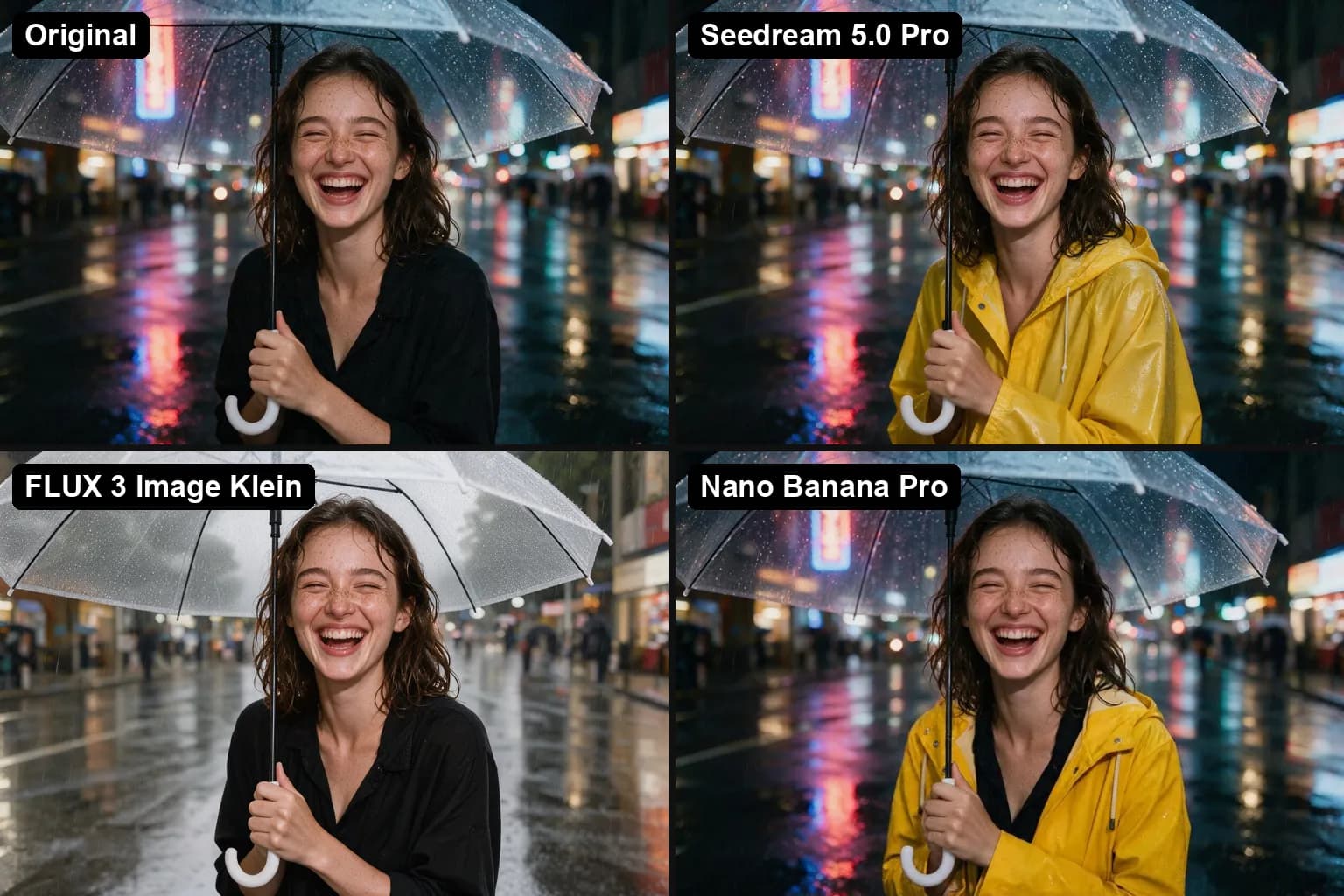
- 多圖編輯出現偏色或幾何變形: 一口氣傳四五張參考圖卻沒交代誰管哪個屬性,圖 2 的打光就會覆蓋掉圖 1 的商品原色。多圖提示詞開頭先寫明角色分工(「image 1 is the exact product geometry and label; image 2 is the environment and lighting only」),並鎖定使用
gpt-image-2.6-sunburst保住編修精準度。 - 透明 PNG 去背邊緣出現刺眼白邊: 同時傳
"background": "transparent"又寫「studio lighting on a white studio sweep」會造成指令打架,模型會畫出原本給白地板用的亮邊反光,疊到深色電商版面就會灰白一圈。請改寫中性均勻打光,並指名「clean crisp alpha edges with no white fringe」。 - 自動重試引發帳單暴衝: 因為 GPT Image 2.6 的
low品質比 GPT Image 2.5 貴 4.2 倍,沒設上限的重試迴圈只要每次點擊多跑六張low草稿,月費就會悄悄翻四倍。把自動重試鎖在兩次以內、探索縮圖留在gpt-image-2.5-flare,只把勝出的提示詞交給gpt-image-2.6-sunbursthigh出圖。
為批次管線與自動化品管設計模組化提示詞
把這些範本從手動測試搬進後端 worker 時,別把雜亂的使用者輸入直接串接成一段長文。將每套提示詞拆成四個固定槽位:主體與商品幾何、場景與打光物理、逐字引號文字,以及固定負向約束。分開存放後,服務就能安全替換 SKU 名稱、季節背景或在地化文案,不會誤傷原本讓主圖成功的焦段與打光設定。
把 GET /v1/tasks/{id} 回傳的完成結果寫入儲存前,先跑一輪輕量後置檢查:核對回傳影像尺寸、透明通道(當請求 background: "transparent" 時),以及對引號包裝文字跑 OCR。萬一某張高價值電商圖漏印一個字母,只針對該單一 SKU 用 gpt-image-2.6-sunburst 搭 complexity: "high" 重試,既能守住型錄品質,又能讓整體批次單位成本維持可預測。
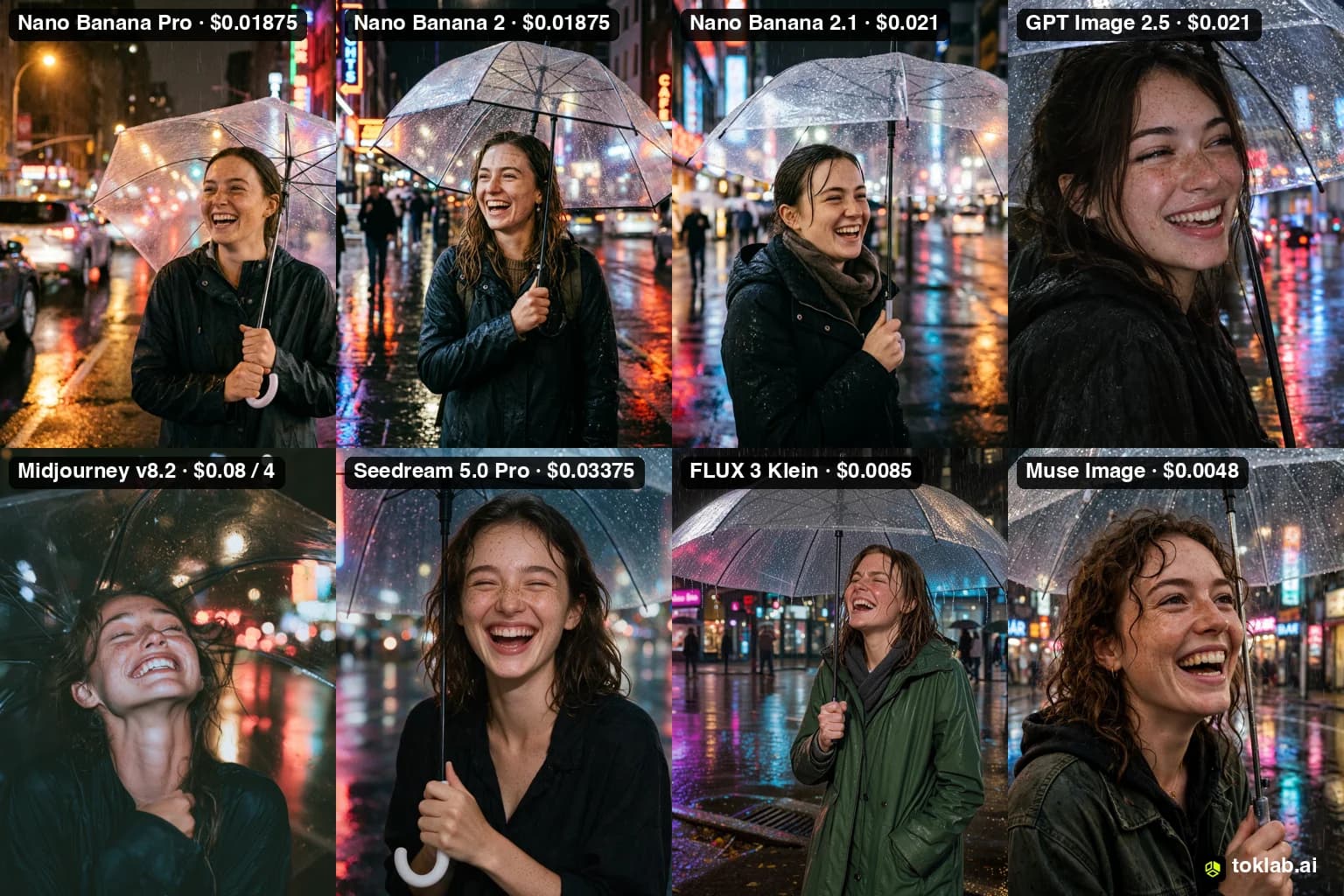
準備好把這些範本寫進程式碼時,可以查閱 GPT Image 2.6 完整參數參考,或在 TokLab 模型目錄比較各款圖像模型的即時費率。