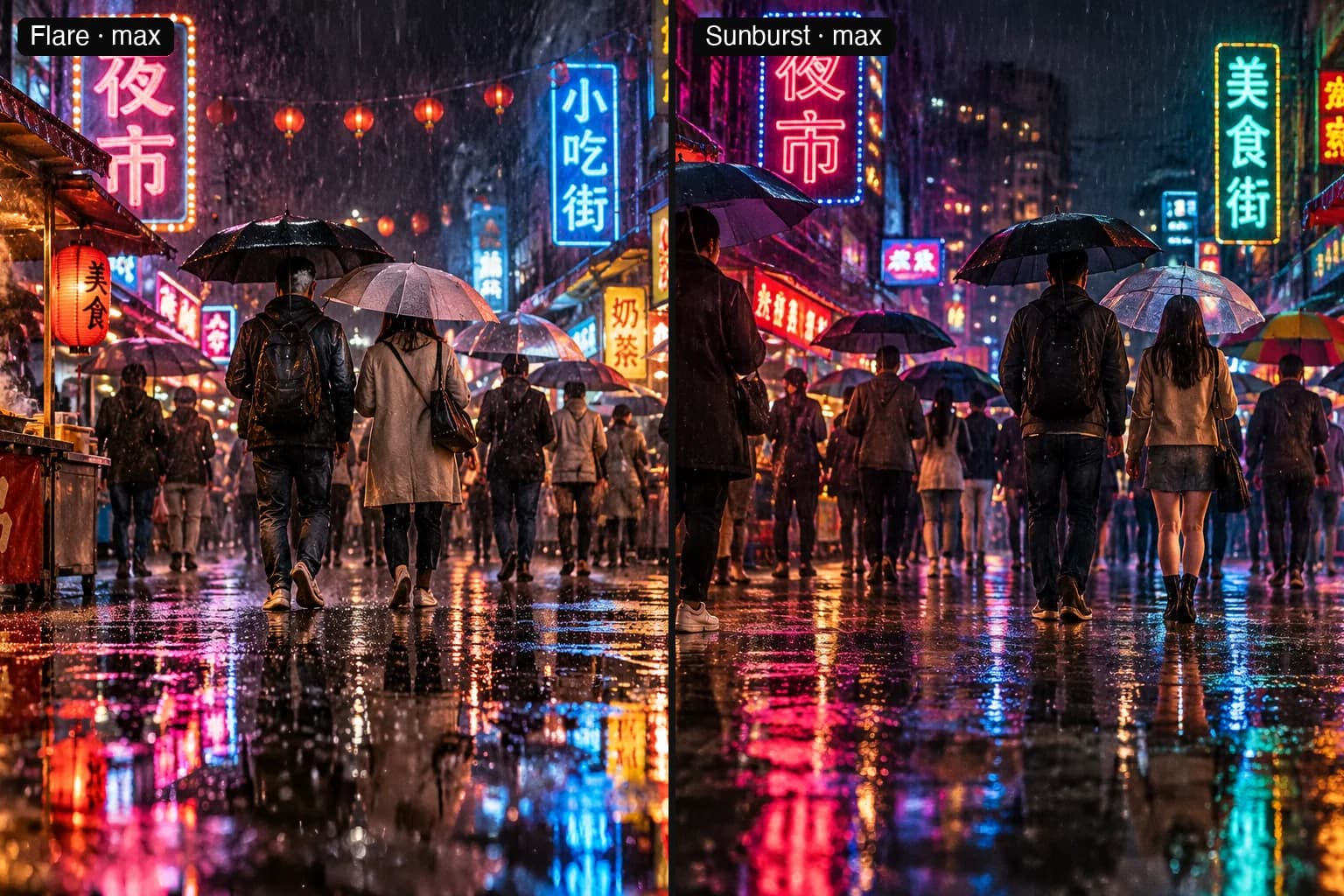
GPT Image 2.5 API pricing: what one image costs at each quality
OpenAI bills GPT Image 2.5 by token. We measured the tokens a 1024×1024 image uses at each quality and priced them on OpenAI and on both TokLab routes.
Read as MarkdownGPT Image 2.5 has no flat price per image on OpenAI. It bills tokens: $30 per million image output tokens, $8 per million image input tokens and $5 per million text input tokens, the same for Flare and Sunburst (OpenAI pricing, checked November 2, 2026). What an image costs therefore depends on how many output tokens it uses, and that is set mostly by the quality level.
We measured it. One 1024×1024 prompt, rendered on TokLab on November 2, 2026 at every quality level:
| Quality | Output tokens | OpenAI, standard | OpenAI, Batch API |
|---|---|---|---|
| low | 196 | $0.0061 | $0.0031 |
| medium | 439 | $0.0134 | $0.0067 |
| high | 1,756 | $0.0529 | $0.0265 |
| xhigh | 3,122 | $0.0939 | $0.0470 |
| max | 7,024 | $0.2110 | $0.1055 |
Each cost includes the prompt's 50 text input tokens, which add a quarter of a thousandth of a dollar. Flare and Sunburst reported identical counts from low to xhigh, so those rows hold for both models. The Sunburst max render failed (details in Flare vs Sunburst), so the max row is Flare's count.
What the extra tokens buy
Max uses 36 times the tokens of low. Here is the same prompt at low, high and max on Flare:
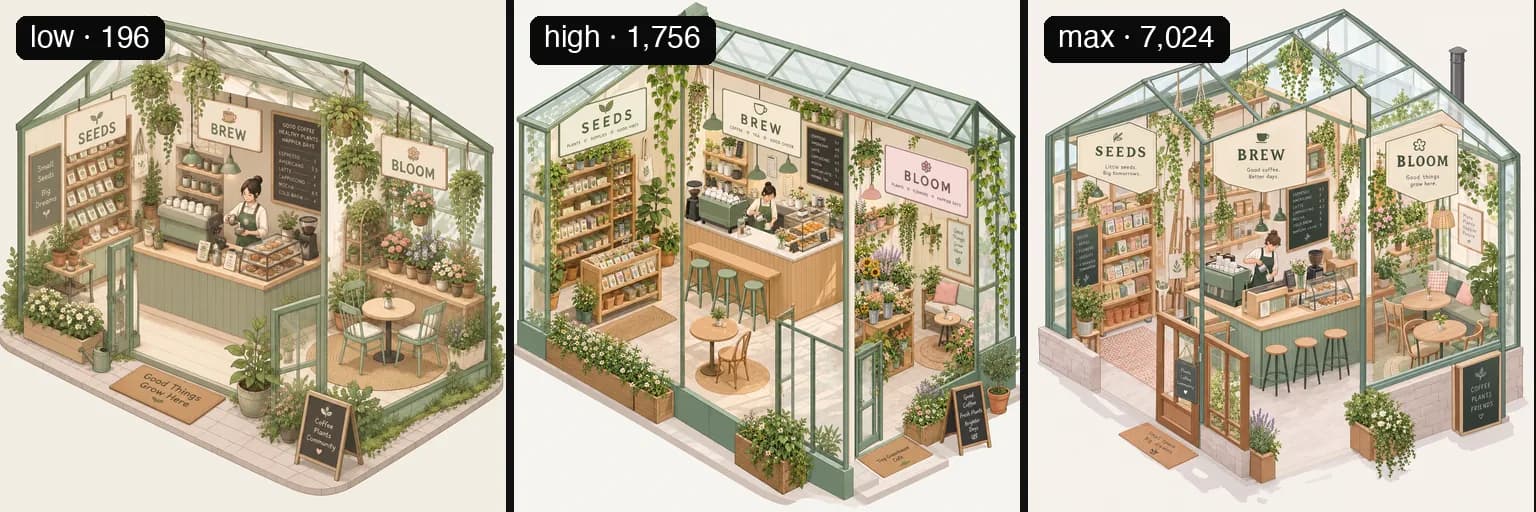
The low render is already a usable image: the three labels are spelled right and the layout is clean. Higher levels add density, mostly in the small things: more plants, more objects on the shelves, smaller signs with their own captions. For a thumbnail or a first draft, low is plenty. Pay for xhigh or max when the image will be printed, viewed large, or has fine type that must hold up.
auto lets the model pick the level, so it has no fixed price to plan around, and we left it out of this round. Set the quality yourself when cost matters.
Two routes on TokLab
TokLab sells each model on two routes, priced in different ways. The Standard IDs, gpt-image-2.5-flare and gpt-image-2.5-sunburst, charge a set amount per delivered image: one price covers low through high, a second covers xhigh and max, and token counts make no difference. The -official IDs bill the tokens each render reports, at OpenAI's token rates less a discount.
Because one is flat and the other grows with tokens, they cross over. As of November 2, 2026, Official was the cheaper route at low and medium and Standard was cheaper from high up. Here are today's rates and the cost of each quality on each route, read live from the ledger that bills your account:
GPT Image 2.5 prices are listed separately for each model ID. Per-image prices follow the selected quality; token-billed prices follow reported usage.
| Channel | Model IDs | Billed by | Current rate (USD) |
|---|---|---|---|
| Standard | gpt-image-2.5-flare | Per delivered image at the selected model and quality rate | Per delivered image: xhigh $0.0225; max $0.0225; other quality values $0.021 |
| Standard | gpt-image-2.5-sunburst | Per delivered image at the selected model and quality rate | Per delivered image: xhigh $0.0225; max $0.0225; other quality values $0.021 |
| Official | gpt-image-2.5-flare-official | Tokens each render reports (text input + image output) | $3.75 per 1M input tokens; $22.5 per 1M output tokens |
| Official | gpt-image-2.5-sunburst-official | Tokens each render reports (text input + image output) | $3.75 per 1M input tokens; $22.5 per 1M output tokens |
Token rates are the published first-tier rates; usage in a different tier may be charged differently.
Cost of one 1024x1024 image by quality
Token counts are measured samples on the Official channel, with 18 input tokens for the prompt. Actual usage varies with the prompt, dimensions, references, and image count, so token-billed figures are estimates, not fixed prices. Per-image rates below follow each model's current quality pricing.
| Quality | Sample output tokens | Standard · GPT Image 2.5 Flare USD | Standard · GPT Image 2.5 Sunburst USD | Official · GPT Image 2.5 Flare USD | Official · GPT Image 2.5 Sunburst USD |
|---|---|---|---|---|---|
| low | 196 | $0.021 | $0.021 | $0.0044775 | $0.0044775 |
| medium | 439 | $0.021 | $0.021 | $0.009945 | $0.009945 |
| high | 1756 | $0.021 | $0.021 | $0.0395775 | $0.0395775 |
| xhigh | 3122 | $0.0225 | $0.0225 | $0.0703125 | $0.0703125 |
| max | 7024 | $0.0225 | $0.0225 | $0.1581075 | $0.1581075 |
| auto | 229 | $0.021 | $0.021 | $0.00522 | $0.00522 |
Formula (Official): (input tokens × 3.75 + output tokens × 22.5) / 1,000,000 USD. A request for n images is billed for the images delivered. Final charges are available in account usage history. Failed requests are not charged.
If prices change, this table changes with them; the sentence above about the crossover may not.
When OpenAI direct is cheaper
OpenAI's Batch API halves every token rate. Its output rate, $15 per million tokens, is lower than the token rate on our Official route, so for low and medium work that can wait for a batch, calling OpenAI directly costs less than either TokLab route. From high up, a flat Standard image on TokLab is cheaper than an OpenAI Batch one as of the date above. TokLab has no batch tier, so waiting longer does not buy a lower rate here.
Compared with GPT Image 2
OpenAI's model page says GPT Image 2.5's "token rates match GPT Image 2", and the token counts line up too. Through the same API on September 21, 2026, a 1024×1024 GPT Image 2 render measured 196 output tokens at low, 1,756 at medium and 7,024 at high. GPT Image 2.5's high costs what GPT Image 2's medium did, its max costs what GPT Image 2's high did, and its medium, at 439 tokens, is a step that did not exist before. For the same budget, 2.5 gives you a finer ladder to choose from.
What else changes the bill
All the counts above are for 1024×1024. A larger canvas uses more output tokens, and we have not measured how many. Edits add image input, billed at $8 per million tokens on OpenAI; we did not measure an edit's input count in this round either. n: 4 is four images and four times the output tokens, with the prompt counted once.
Failures cost nothing on TokLab. One of our Sunburst max renders failed after 424 seconds, and the ledger shows zero for it.
To try a quality level before you commit to it in code, the GPT Image 2.5 playground shows the estimate for each setting before you run it, and the API reference lists every parameter.